Interactive reference — US
Swagger UI (US)
Explore every endpoint and try requests live, authenticated with your Agent Secret Key.
Open SwaggerInteractive reference — EU
Swagger UI (EU)
EU-hosted Swagger docs for agents running in the EU region.
Open SwaggerMachine-readable spec
OpenAPI JSON
Download the raw OpenAPI spec to generate clients in any language (TypeScript, Python, Go, etc.).
View openapi.json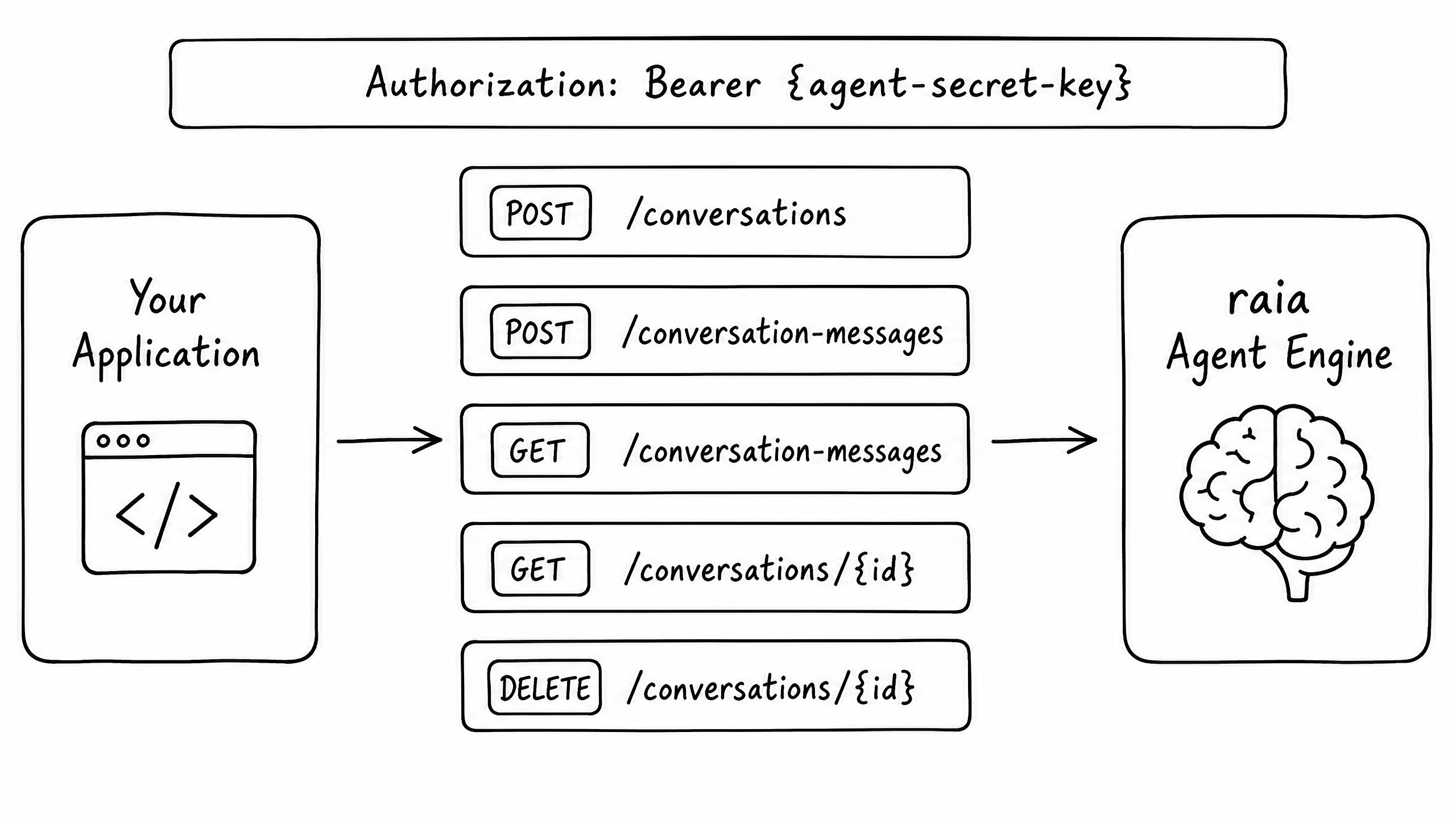
Overview
The raia REST API lets you programmatically create conversations, send messages, and retrieve conversation history from your own applications.
Authentication
All requests authenticate with a Bearer token in the Authorization header. Your token is the Agent Secret Key, generated in raia Command when you enable the API Skill.
Authorization: Bearer {your-agent-secret-key}Security note
Core Endpoints
The API is built around two primary resources: conversations and conversation-messages.
| Method | Endpoint | Description |
|---|---|---|
POST | /api/v1/conversations | Create a new conversation thread |
GET | /api/v1/conversations/{id} | Retrieve a specific conversation |
DELETE | /api/v1/conversations/{id} | Delete a conversation and its messages |
POST | /api/v1/conversation-messages | Send a message to an existing or new conversation |
GET | /api/v1/conversation-messages | Retrieve message history for a conversation |
Sending a Message
The most common operation is sending a message to the agent and receiving a response — a single call to POST /api/v1/conversation-messages.
Request payload
{
  "message": "I need help resetting my password.",
  "conversationId": "optional-thread-id-for-existing-chats",
  "channel": "api",
  "context": "User is on the login page.",
  "user": {
    "firstName": "Jane",
    "lastName": "Doe",
    "email": "jane@example.com",
    "customData": {
      "plan": "enterprise",
      "accountId": "12345"
    }
  }
}
Response payload
{
  "id": "msg_abc123",
  "conversationId": "conv_xyz789",
  "role": "assistant",
  "content": "I can help you reset your password. I've just sent a reset link to jane@example.com.",
  "createdAt": "2026-06-20T10:00:00Z"
}Frequently asked questions
How do I maintain conversation history?
What is the customData object used for?
Are there rate limits?
429 Too Many Requests. Implement exponential backoff retries.