What is MCP?
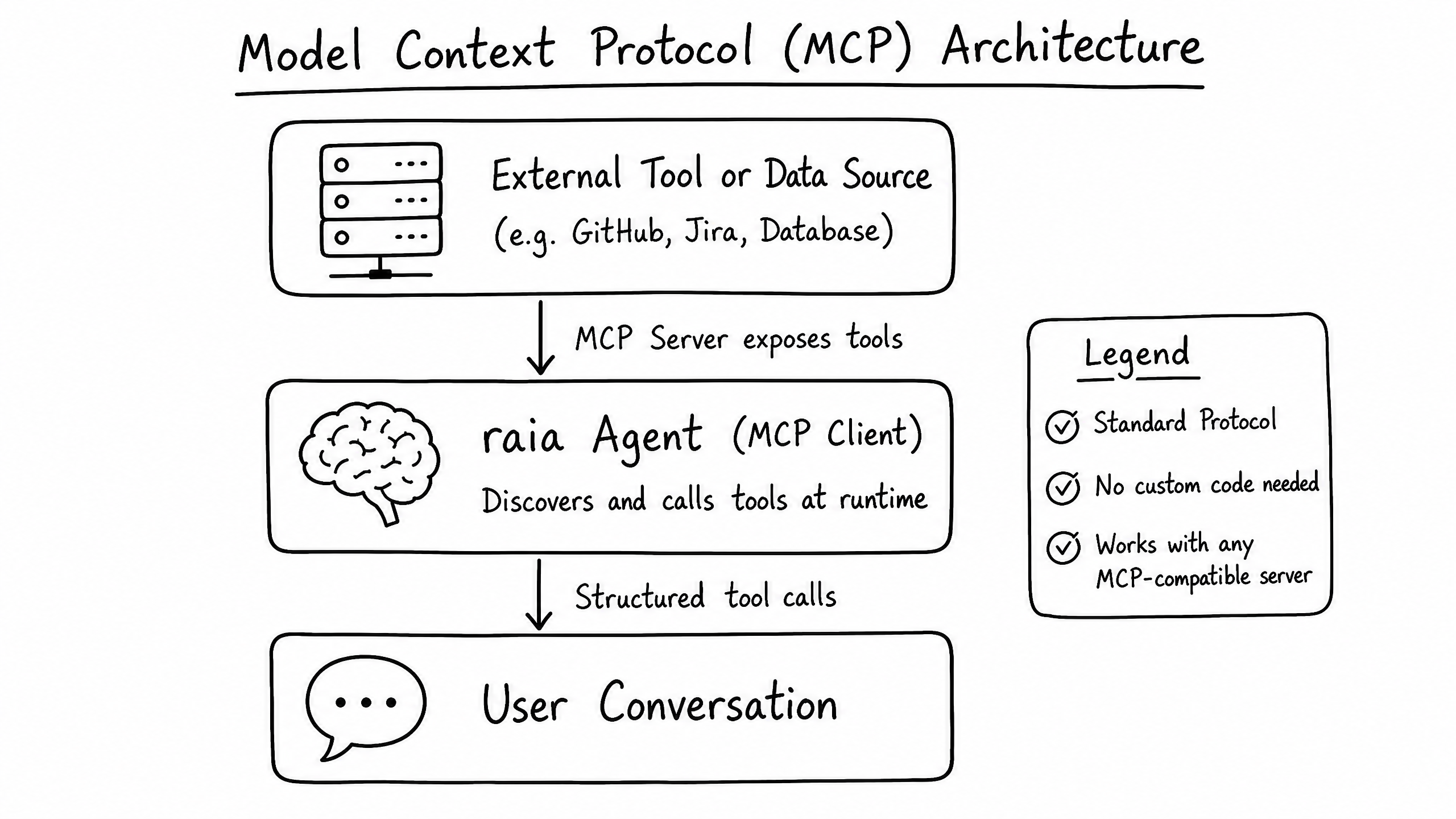
The Model Context Protocol (MCP) is an open standard for letting AI agents securely connect to external tools and data sources. raia acts as an MCP Client — it can connect to any standard MCP Server without custom integration code.
How it works
Traditionally, integrating an agent with a system like GitHub or a SQL database meant writing custom API wrappers, managing authentication headers, and defining JSON schemas for every tool.
MCP standardizes this. An MCP Server sits in front of your data source and exposes a standardized list of tools. When raia connects, it automatically discovers all available tools, understands their inputs, and can call them natively during a conversation.
Why use MCP?
| Benefit | Description |
|---|---|
| Zero custom code | If an MCP Server exists for a tool (Jira, Slack, PostgreSQL, etc.), you can connect raia to it instantly. |
| Automatic discovery | You don't need to manually define Functions in raia Command. The agent reads tool definitions directly from the server. |
| Secure by design | The MCP Server handles authentication with the underlying data source. raia only needs to authenticate with the MCP Server itself. |
| Local execution | Run an MCP Server inside your private VPC to give the agent secure access to internal databases without exposing them publicly. |
Connecting an MCP Server to raia
- 01
Open the MCP Skill settings in raia Command.
- 02
Click Add Server.
- 03
Provide the Server URL.
- 04
(Optional) Provide any authentication headers or API keys needed to access the MCP Server.
- 05
Save. The agent ingests the tool definitions automatically and can start using them on the next message.
Functions vs. MCP
Use Functions for a simple, single REST endpoint (e.g., a weather forecast lookup or a specific webhook).
Use MCP for complex systems with many actions (e.g., GitHub — searching repos, reading issues, creating branches, committing code).
Frequently asked questions
Where can I find existing MCP Servers?
Can I build my own MCP Server?
Does MCP replace the Vector Store?