What you will learn
- Authenticate securely with the raia REST API.
- Understand the core endpoints for conversation management.
- Architect custom interfaces on top of the raia intelligence engine.
- Understand how MCP (Model Context Protocol) servers extend agent capabilities.
Authentication and Security
The raia API lets you interact with your AI agent programmatically. Because agents can execute functions and access proprietary knowledge, security is handled at the agent level, not the organization level.
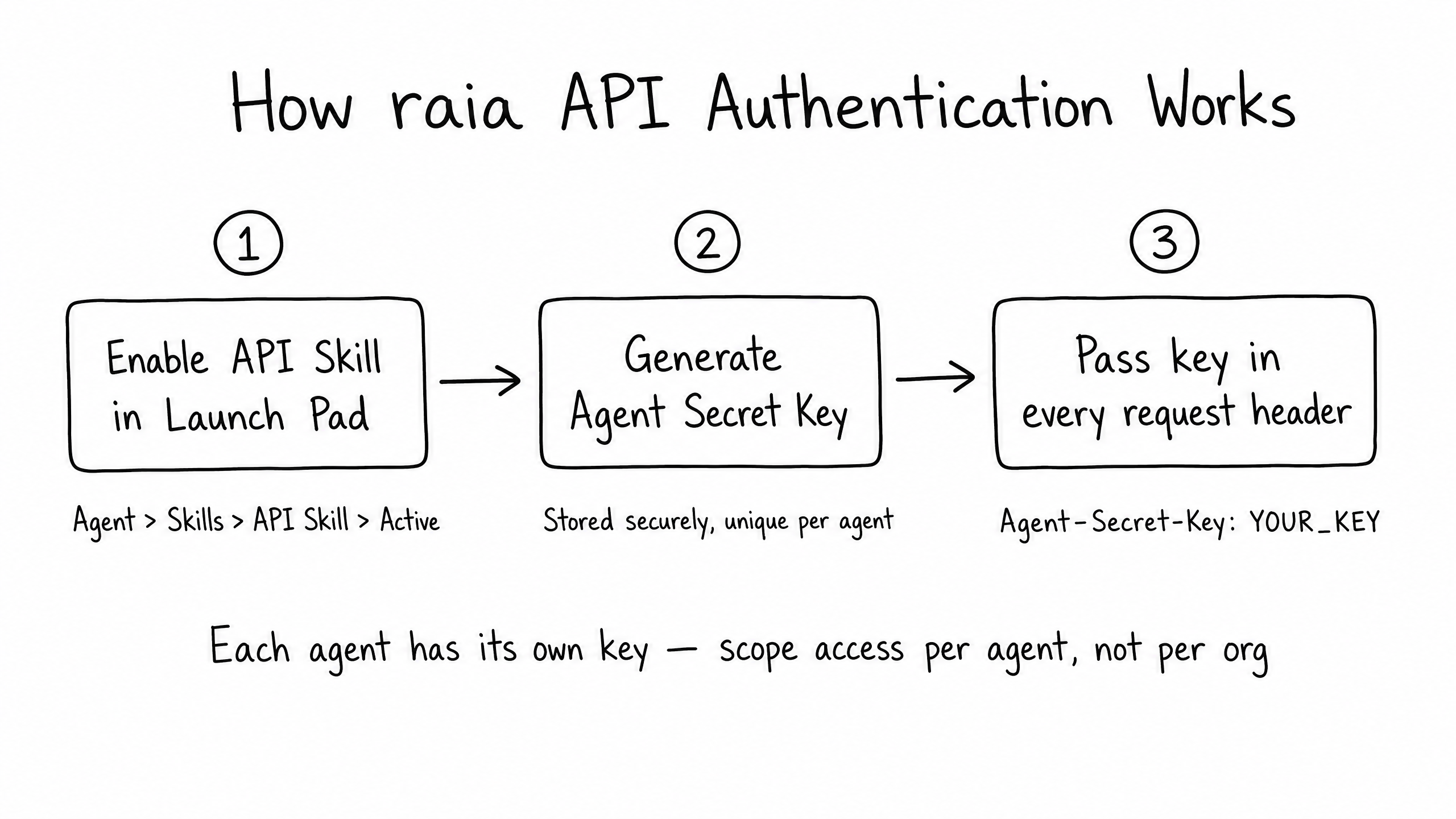
To use the API, first enable the API Skill in Launch Pad. Once enabled, generate an Agent-Secret-Key. This key must be passed in the header of every HTTP request:
curl -X POST https://api.raia2.com/external/conversations/start \
  -H "Content-Type: application/json" \
  -H "Agent-Secret-Key: YOUR_AGENT_SECRET_KEY" \
  -d '{ ... }'
Because keys are scoped per agent, a compromised key only affects that specific agent — limiting your security blast radius.
Core API Endpoints
The raia API is a standard RESTful interface. While endpoints exist for managing agent configuration (PUT /agents/:id), the most common use case is conversation management.
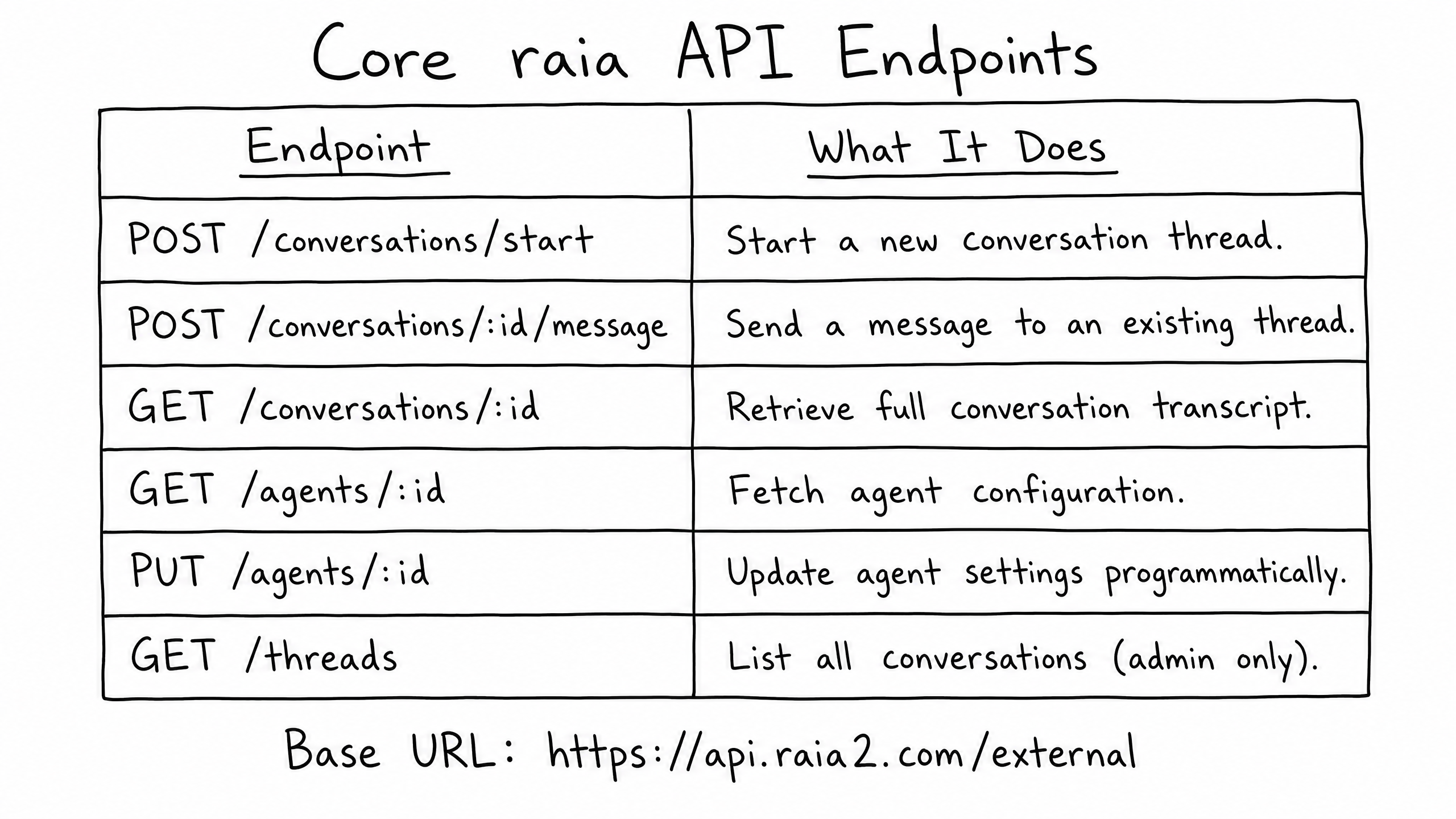
When you call POST /conversations/start, you can pass rich context in the payload — the user's name, their CRM ID, background on their account. The agent uses that context immediately to generate a highly personalized opening message.
Building Custom Interfaces
While raia provides native channels (Live Chat, SMS, Email, Voice), the API lets you build completely custom user interfaces while relying on raia for the intelligence.
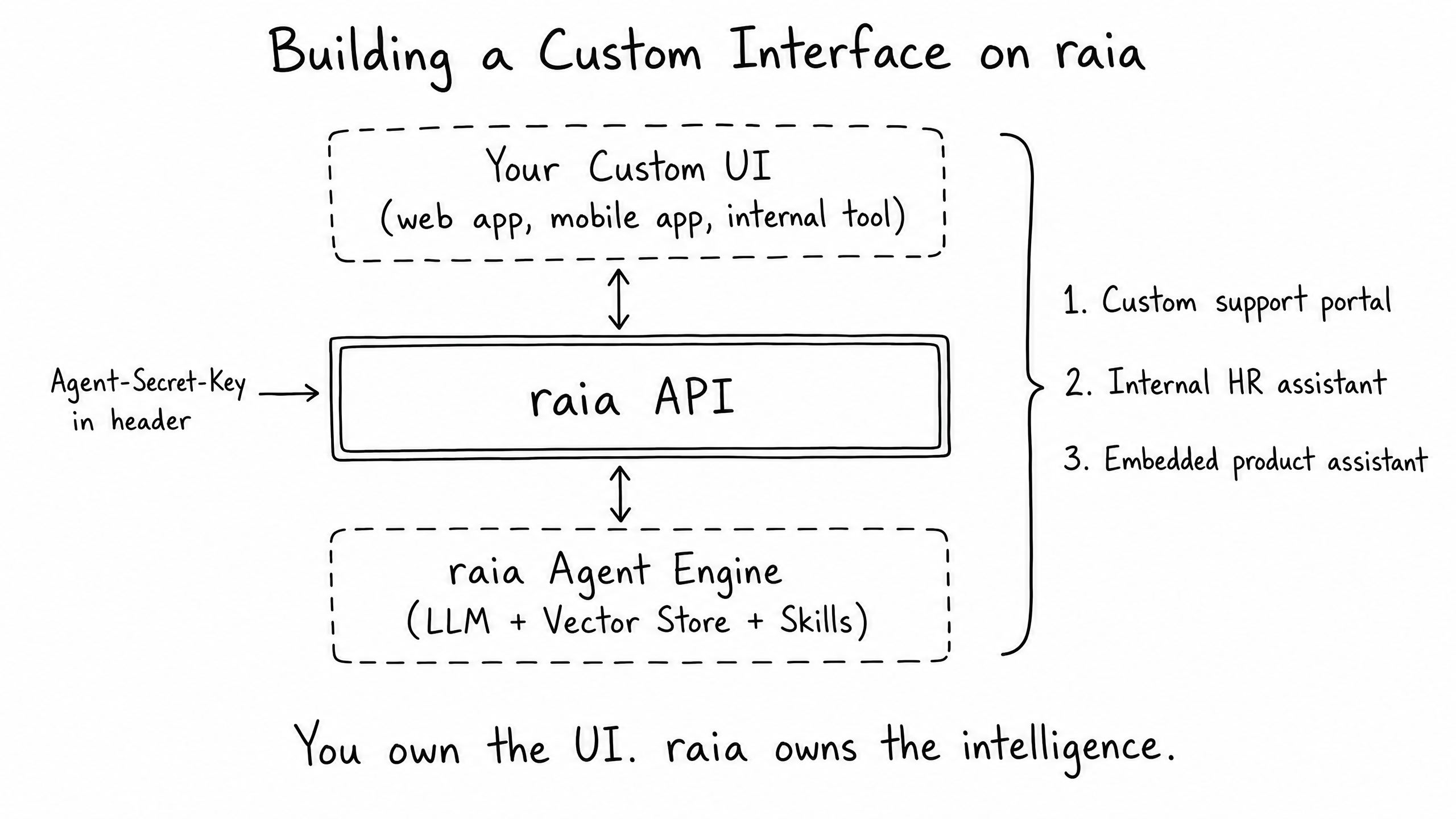
Common custom UI patterns
In-App Copilots
Embed the agent directly into your SaaS product's dashboard to help users navigate features.
Internal Tools
Build a custom Slack bot or internal portal where employees can query HR policies or IT documentation.
Headless E-commerce
Use the agent as a conversational search engine on a custom storefront, retrieving inventory via Functions and returning formatted answers via the API.
In this architecture, you own the frontend UI and user experience; raia handles RAG (Retrieval-Augmented Generation), tool calling, and LLM orchestration.
Extending with MCP Servers
For advanced developers, raia supports the Model Context Protocol (MCP) — an open standard that lets AI models securely connect to local or remote data sources and tools.
By configuring an MCP Server URL (e.g. https://api.raia2.com/mcp/{agent-id}) in your workspace, you can expose your raia agent's capabilities directly to external MCP-compatible clients — custom IDE extensions, enterprise search tools, and more.
This bridges the gap between your agent's knowledge and external developer environments.
Frequently Asked Questions
Where can I find the full OpenAPI specification?
The complete, interactive API documentation is available at https://api.raia2.com/api/external/docs. You can also download the openapi.json file from there to generate client SDKs in your preferred language.
Are there rate limits on the API?
Yes. API usage is rate-limited to ensure platform stability, with specific limits depending on your organization's tier. If you receive a 429 Too Many Requests response, implement exponential backoff in your retry logic.
Can I fetch the raw vector search results via the API?
No. The API returns the agent's synthesized response, not the raw vector chunks. The intelligence engine handles the retrieval and reasoning layers internally.
Path Complete
Congratulations
You have completed the Technical Agent Builder path.
You now have the architectural knowledge to build, prompt, integrate, and orchestrate advanced AI agents on the raia platform.
- 01 — Agent Architecture
- 02 — Advanced Prompt Engineering
- 03 — Working with Functions
- 04 — Webhooks and External APIs
- 05 — Advanced Orchestration with n8n
- 06 — The raia API