What you will learn
- Use the native raia node in n8n to trigger agent actions.
- Design automated ETL pipelines to keep agent knowledge current.
- Architect Agent-to-Agent (A2A) workflows for complex, specialized tasks.
The raia Node in n8n
While you can integrate raia into any system using raw APIs and Webhooks, the fastest way to build complex, multi-step workflows is using n8n — a visual workflow automation tool.
raia provides a native community node for n8n, meaning you do not need to write custom HTTP requests to interact with your agents.
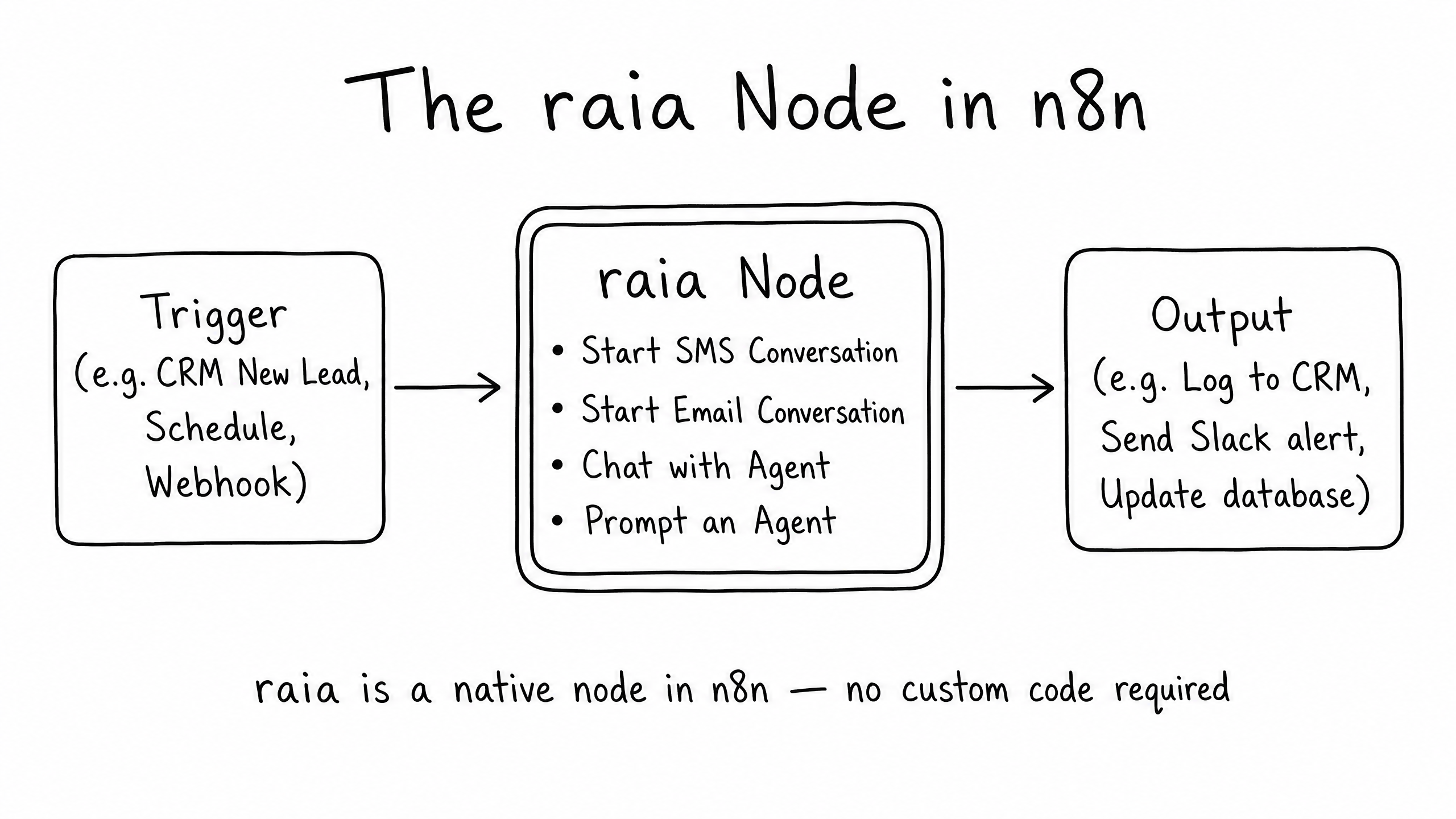
Core node actions
Action
Start SMS Conversation
Initiates an outbound text message to a user.
Action
Start Email Conversation
Initiates an outbound email thread.
Action
Chat with Agent
Creates a new user profile and starts a conversation.
Action
Prompt an Agent
Sends a specific prompt to an existing conversation thread and waits for the agent's response.
By placing this node in the middle of an n8n workflow, you can trigger agent actions based on events in your CRM, database, or scheduling system.
Building ETL Knowledge Pipelines
One of the biggest challenges with AI agents is keeping their knowledge base up to date. If your company updates a policy in Confluence or a support article in Zendesk, the agent needs to know immediately.
Instead of manually uploading new documents to raia Command, you can use n8n to build an automated ETL (Extract, Transform, Load) pipeline.
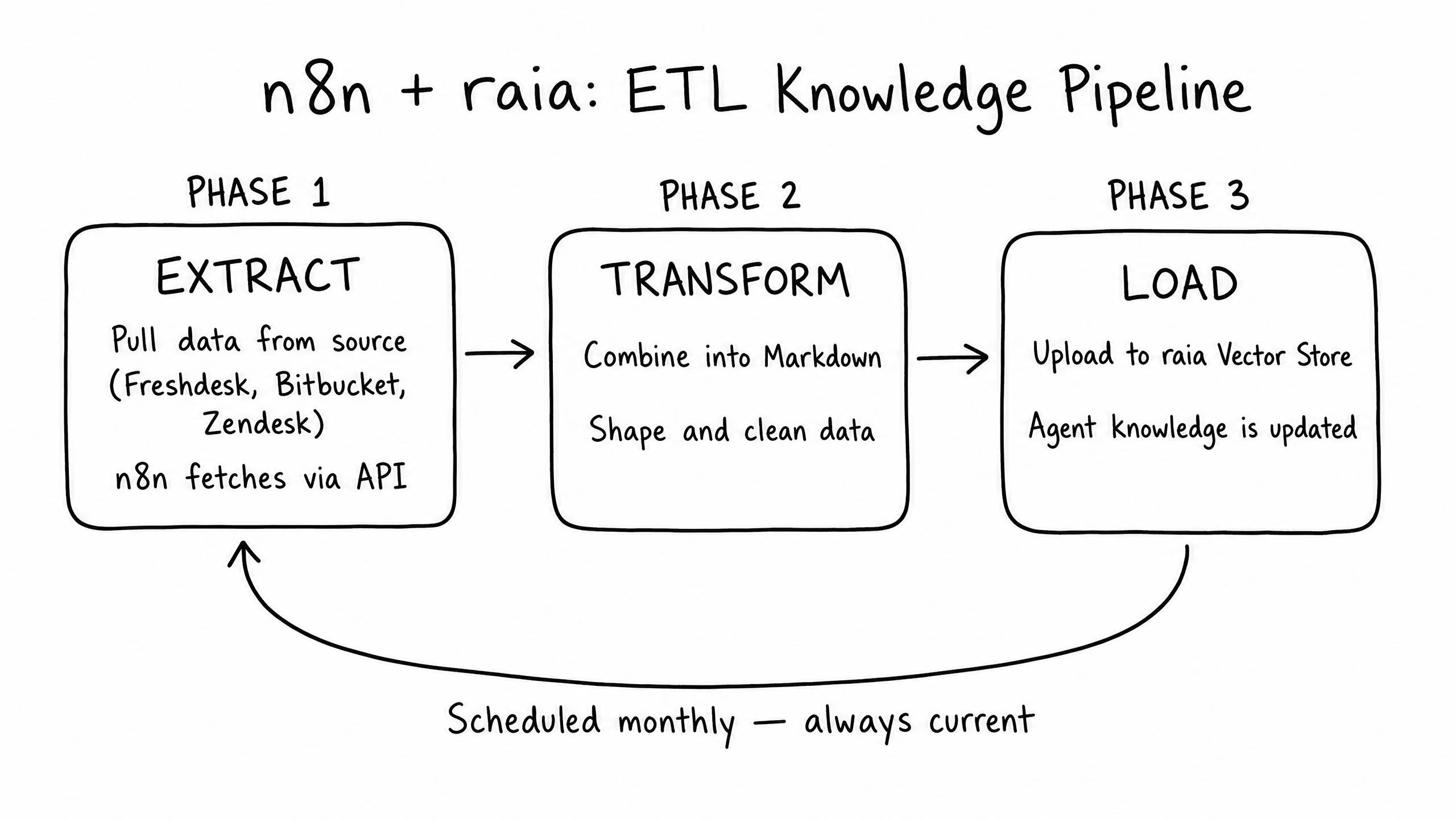
- 1
Extract
n8n runs on a schedule (e.g., nightly) and fetches new or updated tickets from Freshdesk, code from Bitbucket, or articles from Zendesk via their respective APIs.
- 2
Transform
n8n shapes the raw JSON data, cleans out unnecessary metadata, and combines it into a clean Markdown format optimized for LLM reading.
- 3
Load
n8n uses the raia API to upload the newly generated Markdown file directly into the agent's Vector Store, ensuring its knowledge is always perfectly synced with your source of truth.
Agent-to-Agent (A2A) Architecture
As you scale AI across an organization, a single "do-everything" agent becomes difficult to manage and prone to hallucinations. The solution is Agent-to-Agent (A2A) architecture: a front-line routing agent that delegates complex queries to specialized backend agents.
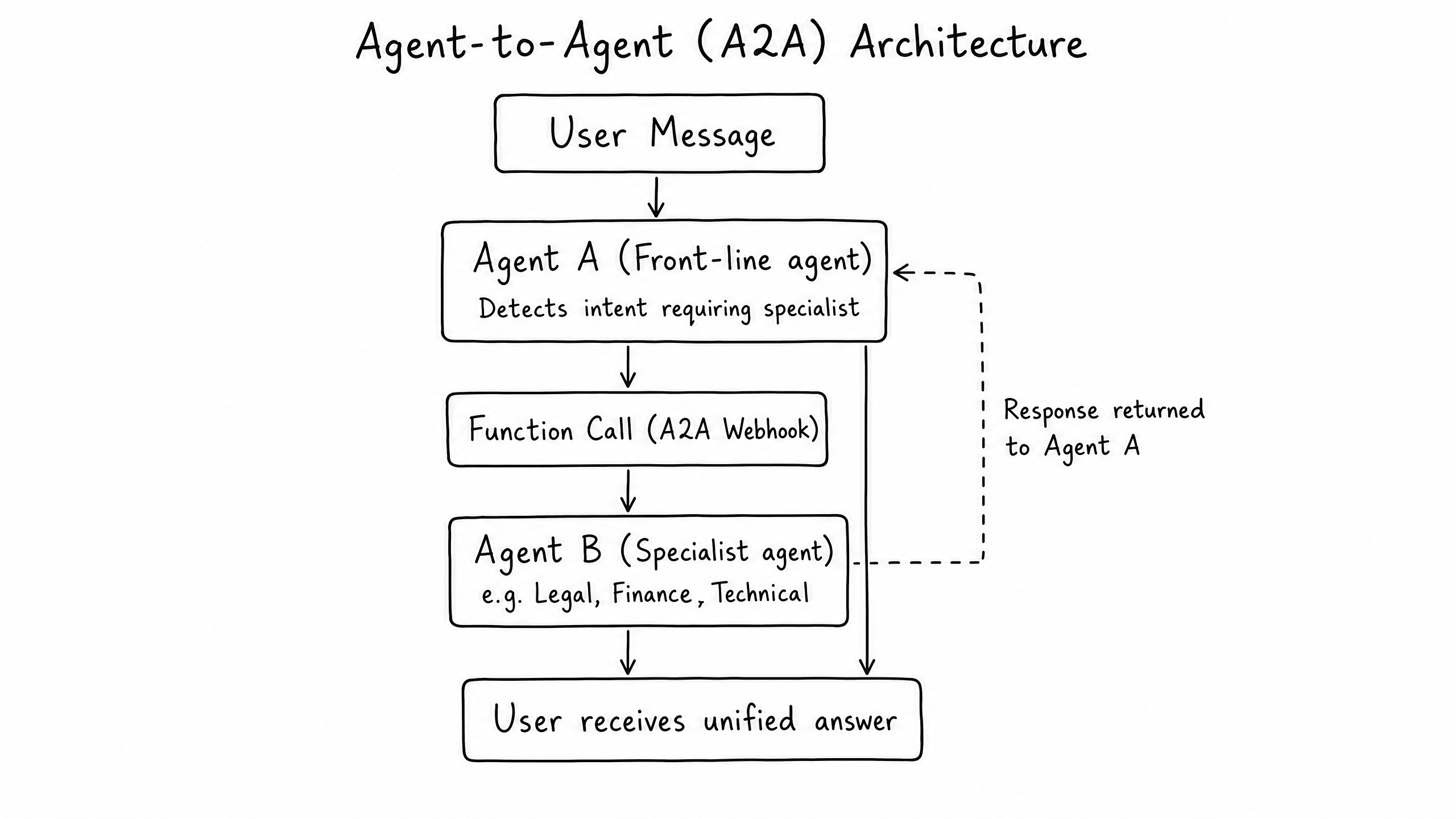
How it works
- 1
A user asks a highly technical question to the front-line Support Agent.
- 2
The Support Agent detects that this requires the Technical Specialist Agent.
- 3
The Support Agent uses the Functions Skill to trigger a webhook, passing the user's query as the payload.
- 4
n8n catches the webhook, uses the raia node to prompt the Technical Specialist Agent, and returns the expert answer back to the Support Agent.
- 5
The Support Agent seamlessly delivers the answer to the user.
To the user, they are talking to one incredibly smart assistant. On the backend, you have a team of specialized AI workers collaborating.
Related
Workflow visualizer
See the live A2A orchestration canvas and explore the three core workflow patterns in the Developer Hub.
Open workflow visualizer →Frequently Asked Questions
Where do I get the raia n8n node?
It is available as a community node. You can install it directly from the n8n interface by searching for the raia package.
Can I use Zapier or Make instead of n8n?
Yes. raia supports Zapier (via our native Zapier app) and Make.com (via generic HTTP requests). However, n8n is highly recommended for complex ETL pipelines and Agent-to-Agent routing due to its advanced data transformation capabilities.
In an A2A setup, how does the front-line agent know which specialist to call?
You define each specialist agent as a Function in the front-line agent's setup. By writing a clear Description for the function (e.g., "Call this function when the user asks a question about API rate limits or server architecture"), the LLM will naturally route the query to the right place.