What you will learn
- Understand the difference between channels, capabilities, and integrations in the Skills Library.
- Configure the four primary communication channels: Live Chat, SMS, Email, and Voice.
- Apply best practices for rolling out multiple channels safely.
- Set up escalation triggers to ensure seamless handoffs to human team members.
What Are Agent Skills?
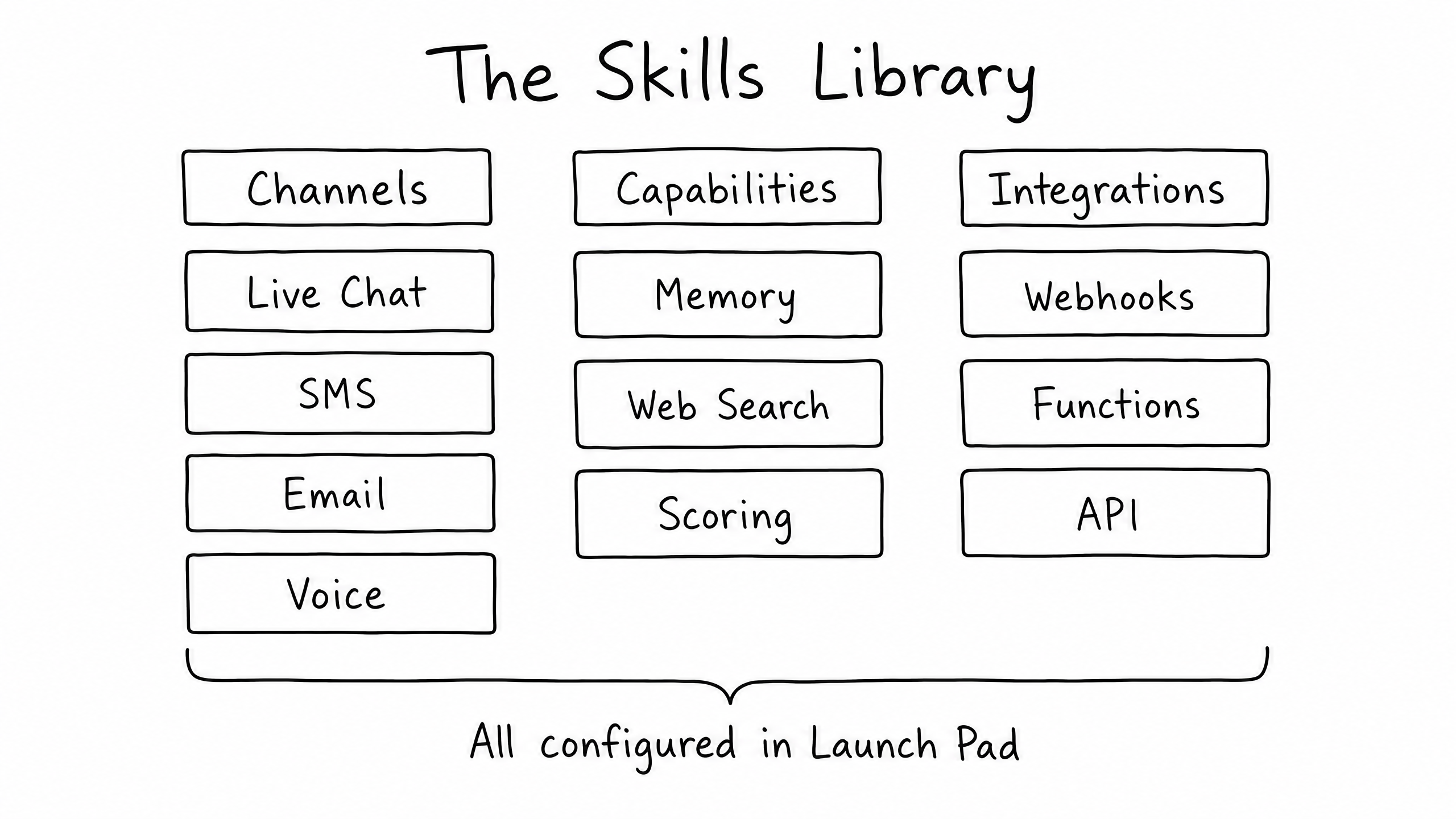
You've built an agent with a brain (Instructions) and a memory (Vector Store). But without a way to communicate, the agent cannot do any work. Skills are the tools that allow your agent to interact with the world. You configure them all in the Launch Pad.
Channels
How the agent talks to users — Live Chat, SMS, Email, Voice.
Capabilities
Internal tools the agent uses to think better — Memory, Web Search, Scoring.
Integrations
How the agent connects to other software — Webhooks, Functions, API.
This module focuses entirely on Channels.
The Four Communication Channels
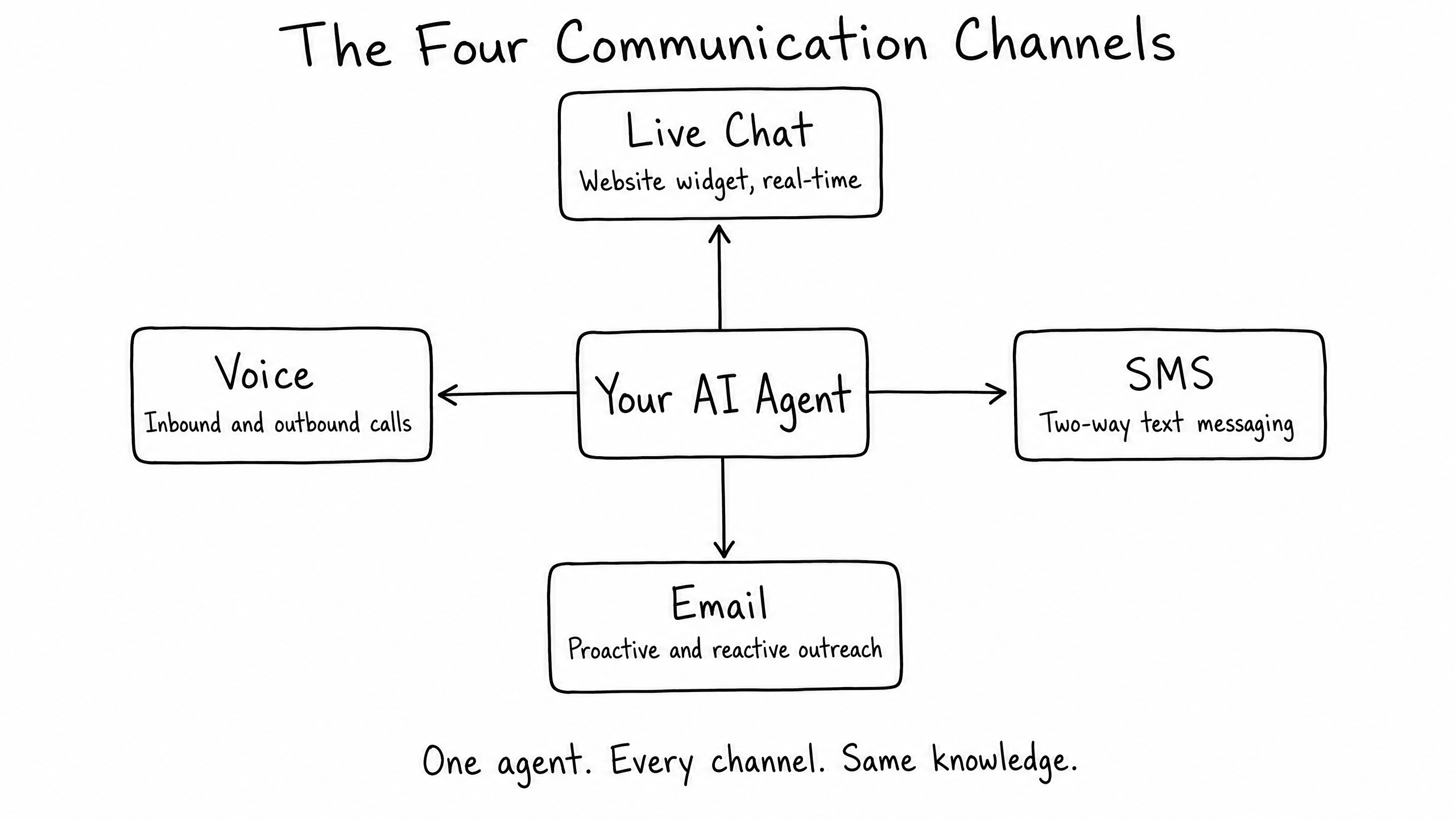
The real power of raia is its omnichannel capability. Build the agent once and deploy it across four different mediums — knowledge, tone, and context follow the conversation wherever it happens.
Live Chat
Web widget
Setup. Define a Welcome Message, add quick-reply buttons (e.g., Pricing, Support), and customize brand colors.
Note. You receive a JavaScript snippet to paste into your website code.
SMS
Text messaging
Setup. Select a country code; raia assigns a Twilio phone number. Write a default introduction.
Note. Once a number is assigned and saved, it cannot be changed.
Inbound + outbound
Setup. Define the Sender Name and a default Subject Line.
Note. Verify your own custom domain so emails come from @yourcompany.com instead of the default @raiabot.com.
Voice
Inbound + outbound calls
Setup. Provision a phone number and define the agent's greeting.
Note. Uses text-to-speech and speech-to-text for natural phone conversations.
Recommended Rollout Strategy
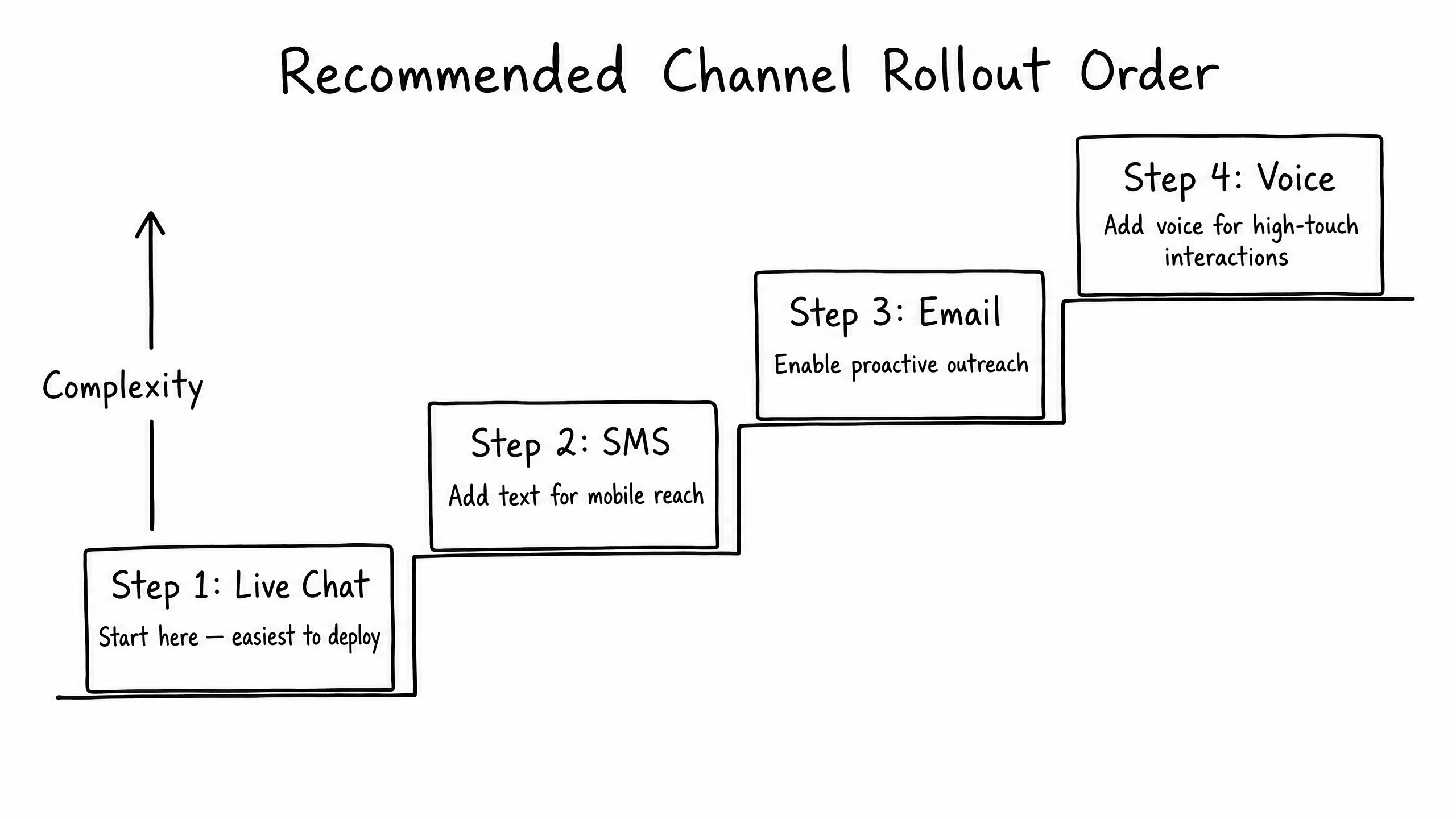
If you're building your first agent, do not turn on all four channels at once. Each channel introduces new complexities — a user chatting on a website expects different pacing than someone on the phone. Roll out in phases:
Phase 01
Start with Live Chat
Easiest to control, users expect AI in chat widgets, and transcripts are easy to monitor.
Phase 02
Add SMS
Once the agent performs well in chat, enable SMS for mobile reach.
Phase 03
Enable Email
Email needs careful tone management — responses are longer and asynchronous.
Phase 04
Launch Voice
Voice is the highest-touch channel. Only enable once knowledge and instructions are heavily refined.
The Escalation Skill (The Safety Net)
No matter how well you train your agent, it will eventually encounter a question it cannot answer or a customer who is frustrated. The Escalation Skill watches for specific triggers; when one fires, the agent stops replying and alerts a human via email, SMS, or in-app notification.
| Trigger | When it fires |
|---|---|
| Explicit requests | The user types "Talk to a human", "Representative", or "Manager". |
| Knowledge gaps | The agent cannot find an answer in its Vector Store after two attempts. |
| Negative sentiment | The user uses aggressive language or expresses extreme frustration. |
Best practice
Tell the agent exactly what to say when escalating. In your Instructions (Module 03), add a rule like: "If you must escalate, say: 'I understand this is complex. Let me connect you with a human team member right now.'"
Frequently Asked Questions
If a user starts on Live Chat and then texts the SMS number, does the agent know it's the same person?
Yes, if the user provides identifying information (like an email or phone number) in Live Chat, raia can link sessions and maintain context across channels.
Can I restrict Live Chat so only certain people can use it?
Yes. In Live Chat settings, set up an IP Whitelist (so only internal employees can see it) or require a Security Key.
Do I need to write different Instructions for each channel?
No. The agent uses the same Instructions and Vector Store across all channels. The AI adapts formatting automatically — shorter sentences for SMS, longer structured paragraphs for Email.