What you will learn
- Understand why Instructions are the most critical component of your AI agent.
- Structure your instructions using the proven 6-section anatomy.
- Write clear, unambiguous rules that prevent hallucinations and errors.
- Use the iterative testing loop to refine your instructions over time.
The Brain of Your Agent
In the previous module, you planned your agent's objective and boundaries. Now you must translate that plan into Instructions.
If the raia cX platform is the body, the Instructions are the brain. They are the single most powerful form of training you can provide. Your agent's instructions define what it can and cannot do, establish its tone, and tell it how to behave in specific situations.
It is important to understand the difference between Instructions and the Knowledge Base:
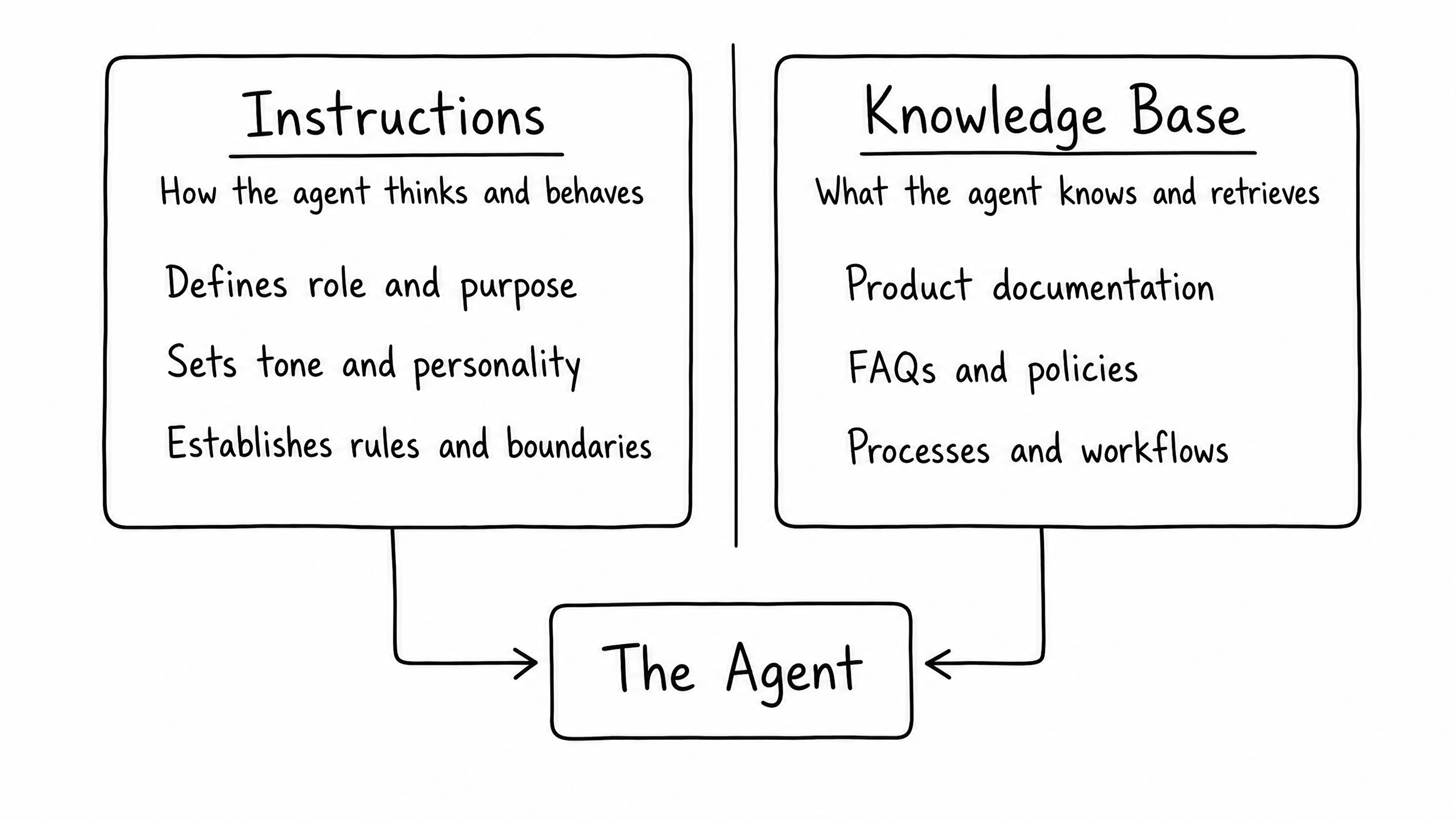
The Knowledge Base provides the facts (like a product manual or a return policy). The Instructions provide the judgment — telling the agent how to use those facts to talk to a customer.
The 6 Sections of Great Instructions
Writing instructions from scratch can be intimidating. To ensure consistency and quality, always structure your instructions into these six distinct sections:
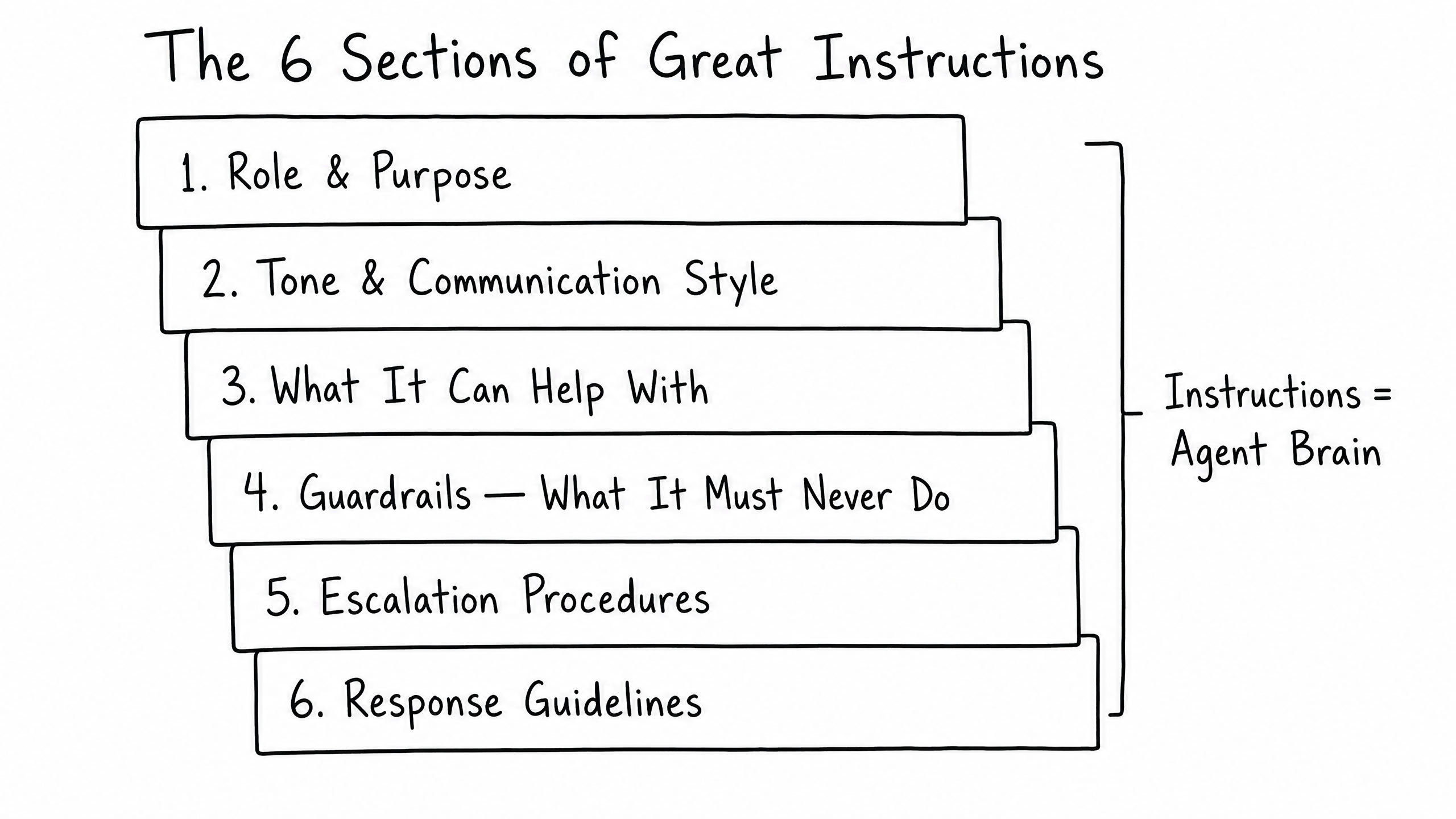
Section 01
Role & Purpose
Start with a clear, concise statement that defines the agent's core identity.
"You are a customer support assistant for ACME Software, helping users troubleshoot product issues and guiding them to solutions."
Section 02
Tone & Communication Style
Define the personality. Be specific about how the agent should sound.
"Speak in a clear, friendly, and professional tone. Avoid overly technical language unless requested. Acknowledge user frustration with empathy."
Section 03
What It Can Help With
Outline the specific types of requests the agent is authorized to handle.
"You are authorized to help with account setup, login issues, dashboard navigation, and basic billing questions."
Section 04
Guardrails (What It Must Never Do)
Use strong negative constraints to prevent risky behavior.
"DO NOT provide legal, medical, or financial advice. DO NOT guess — if you are unsure, escalate to a human."
Section 05
Escalation Procedures
Tell the agent exactly when and how to hand off the conversation.
"If a user expresses extreme frustration or asks for a human, respond with: 'Let me connect you with someone who can help.' and trigger an escalation."
Section 06
Response Guidelines
Set formatting rules and general best practices.
"Keep responses concise. Use bullet points for step-by-step troubleshooting. Always cite your sources."
Best Practices for Writing
When writing the content within those six sections, keep these best practices in mind:
| Best practice | Why it matters |
|---|---|
| Be clear and concise | The AI needs precise directions, not vague suggestions. |
| Use formatting | Markdown headers and bullet points make instructions easy for the AI to parse. |
| Include negative constraints | Explicitly stating what not to do is the best way to prevent hallucinations. |
| Provide troubleshooting steps | Write out diagnostic flows clearly when the agent should follow a specific sequence. |
The Iteration Loop
You will rarely write perfect instructions on the first try. Building a great agent requires continuous refinement based on real-world interactions.
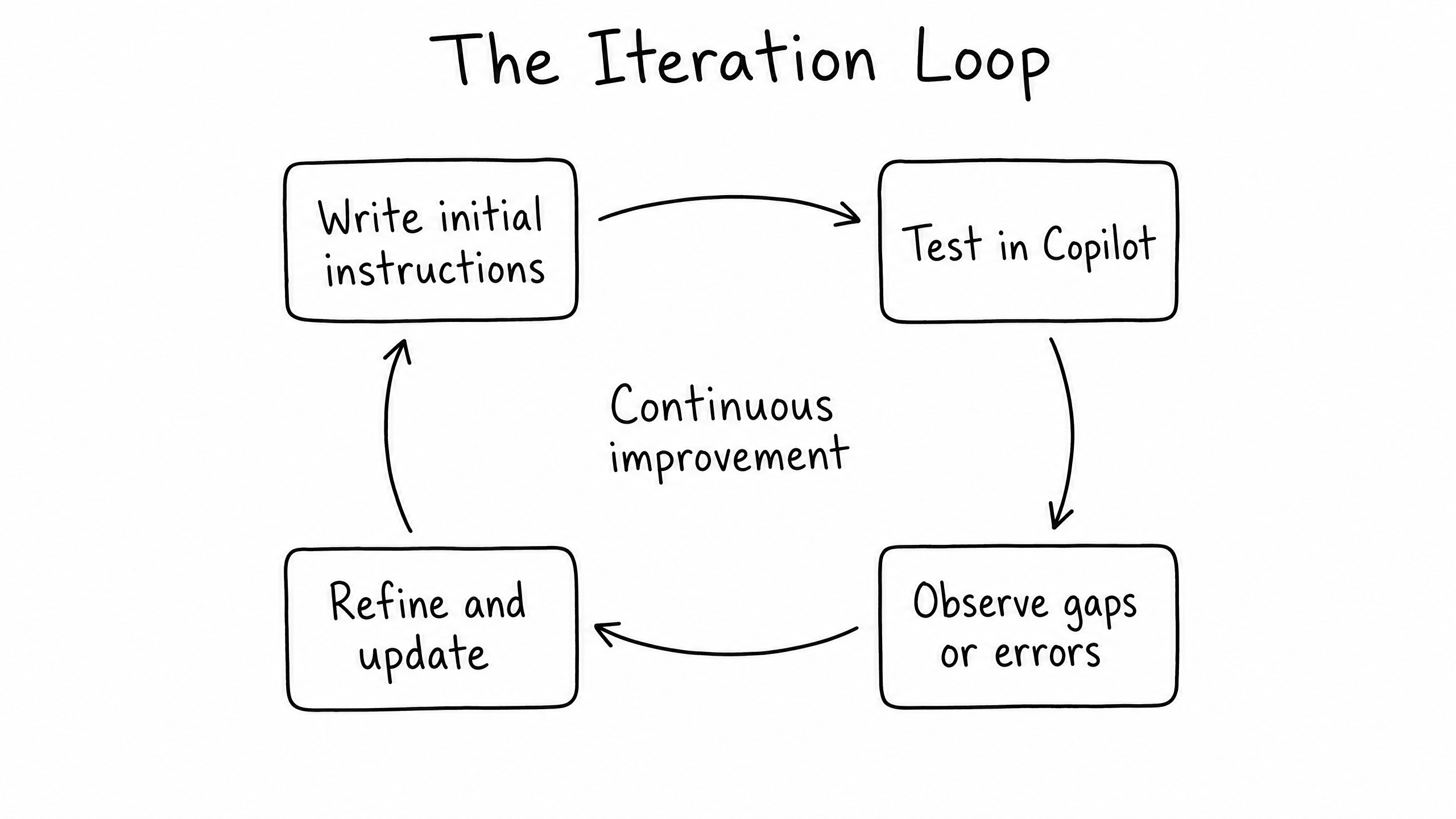
Once your initial instructions are written, use raia Copilot to simulate conversations. Try to break the agent. Ask it questions outside its scope. Express frustration.
When the agent makes a mistake, do not just correct the knowledge base — look at the Instructions. Ask yourself: Did I explicitly tell the agent how to handle this situation? If not, update the instructions, save, and test again.
Tip
Use the Optimize with AI tool inside the raia platform to help clean up and structure your wording.
Frequently Asked Questions
How long should my instructions be?
There is no strict limit, but clarity is more important than length. Most successful agents have instructions between 500 and 1,500 words. If your instructions are too long, the agent may lose focus.
Do I need to include specific product details in the instructions?
No. Product details, pricing, and policies belong in the Knowledge Base (covered in the next module). The instructions should only contain the rules of engagement.
What happens if instructions conflict with a document in the Knowledge Base?
Instructions act as the ultimate authority on behavior, but the agent pulls facts from the Knowledge Base. If you tell the agent "Never offer refunds" in instructions but upload a document that says "Offer refunds within 30 days," the agent may become confused. Always ensure your instructions and knowledge base are aligned.