What you will learn
- Understand the architectural difference between Webhooks and the API.
- Configure the Webhook Skill and choose the correct trigger type.
- Authenticate against the raia API using an Agent Secret Key.
- Call core API endpoints to start conversations and send messages programmatically.
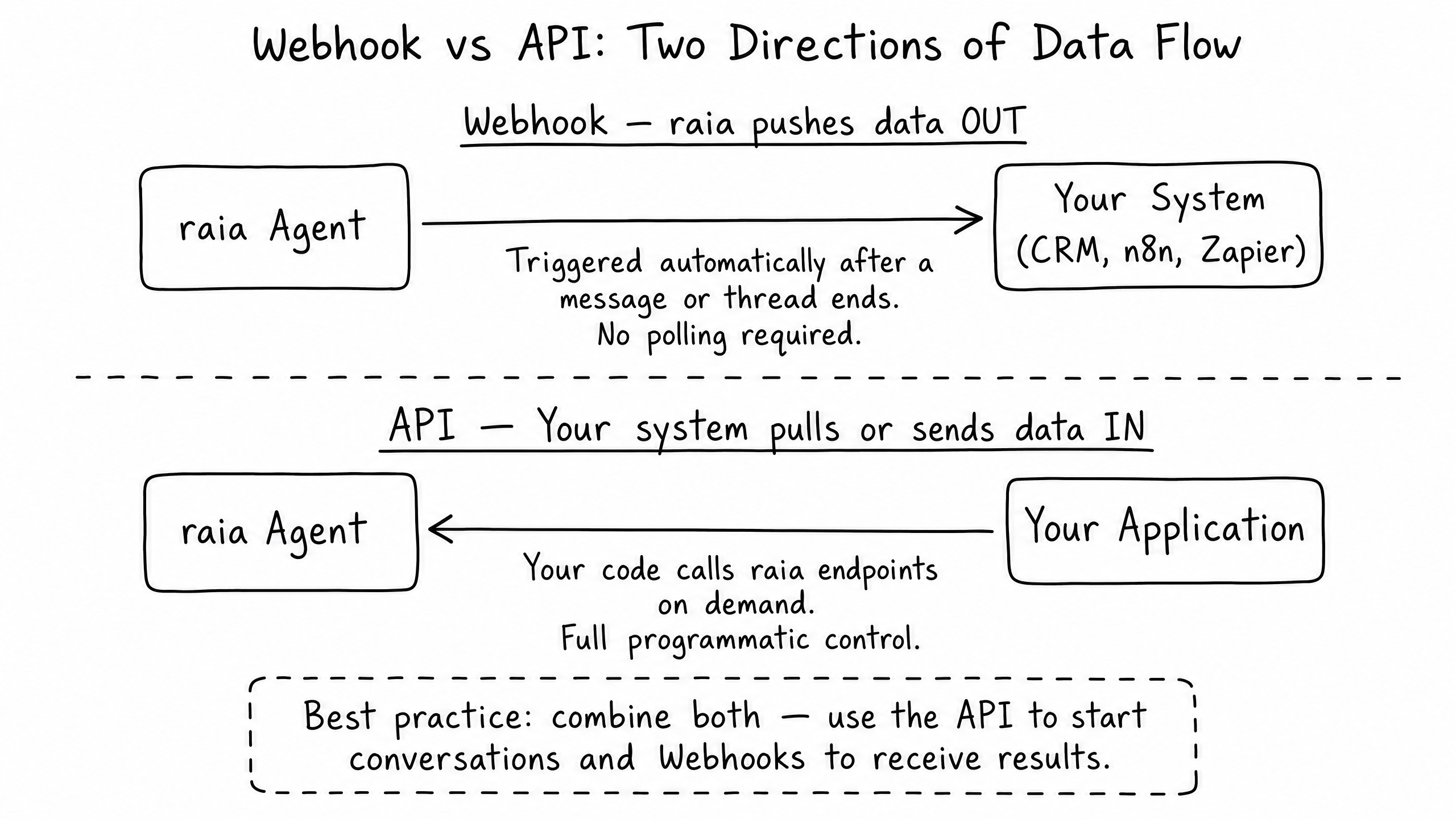
Webhook vs API: Two Directions of Data Flow
When integrating raia with your backend systems, you have two primary tools at your disposal: Webhooks and the API. The difference comes down to which system is initiating the data transfer.
01
Webhooks (Push)
raia automatically pushes data out to your system when an event occurs. You do not need to poll for updates; raia tells you when something happens.
02
API (Pull / Send)
Your system calls raia endpoints to pull data in or send commands on demand. You have full programmatic control over when the interaction happens.
Best Practice: The most robust integrations combine both. Your backend uses the API to start a conversation and pass user context, then uses a Webhook to automatically receive the final transcript when the conversation ends.
Configuring the Webhook Skill
The Webhook Skill allows your agent to send rich JSON payloads containing conversation data to any external URL (like Zapier, Make, n8n, or your own backend endpoint). The most important decision when configuring the skill is choosing the trigger type.
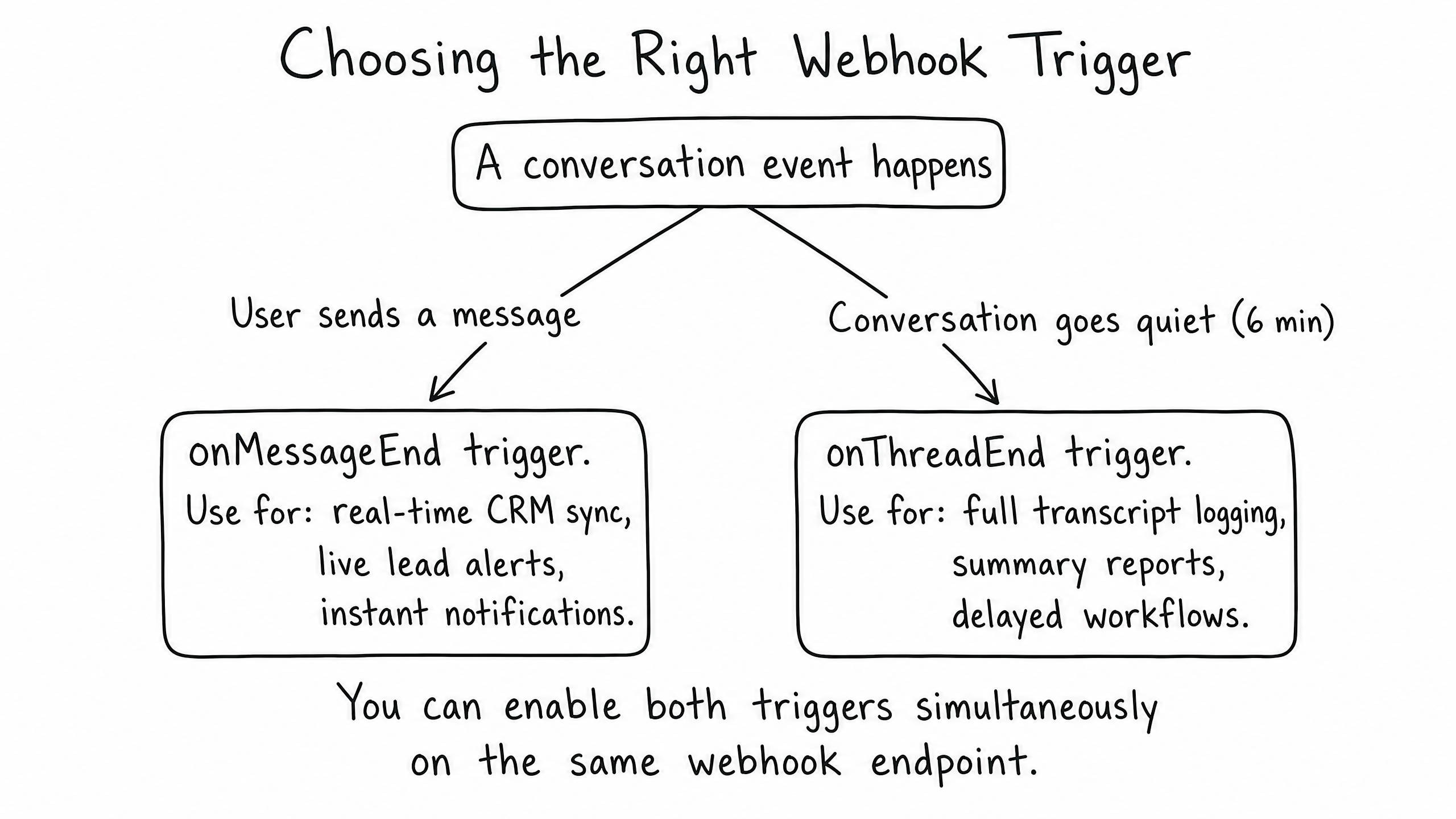
onMessageEndFires after every single reply the agent sends. Ideal for real-time syncing, live lead alerts, or instant CRM updates.
onThreadEndFires only when a conversation goes quiet (typically after 6 minutes of inactivity). Ideal for logging full transcripts, summary reports, or delayed downstream workflows.
The default payload includes the Agent name, User details (if passed via SDK or API), the message content, the Thread ID, and the channel source.
The raia API: Authentication and Core Endpoints
If you need to build a custom interface, trigger agent actions from your own application, or manage agents programmatically, use the raia API.
Authentication
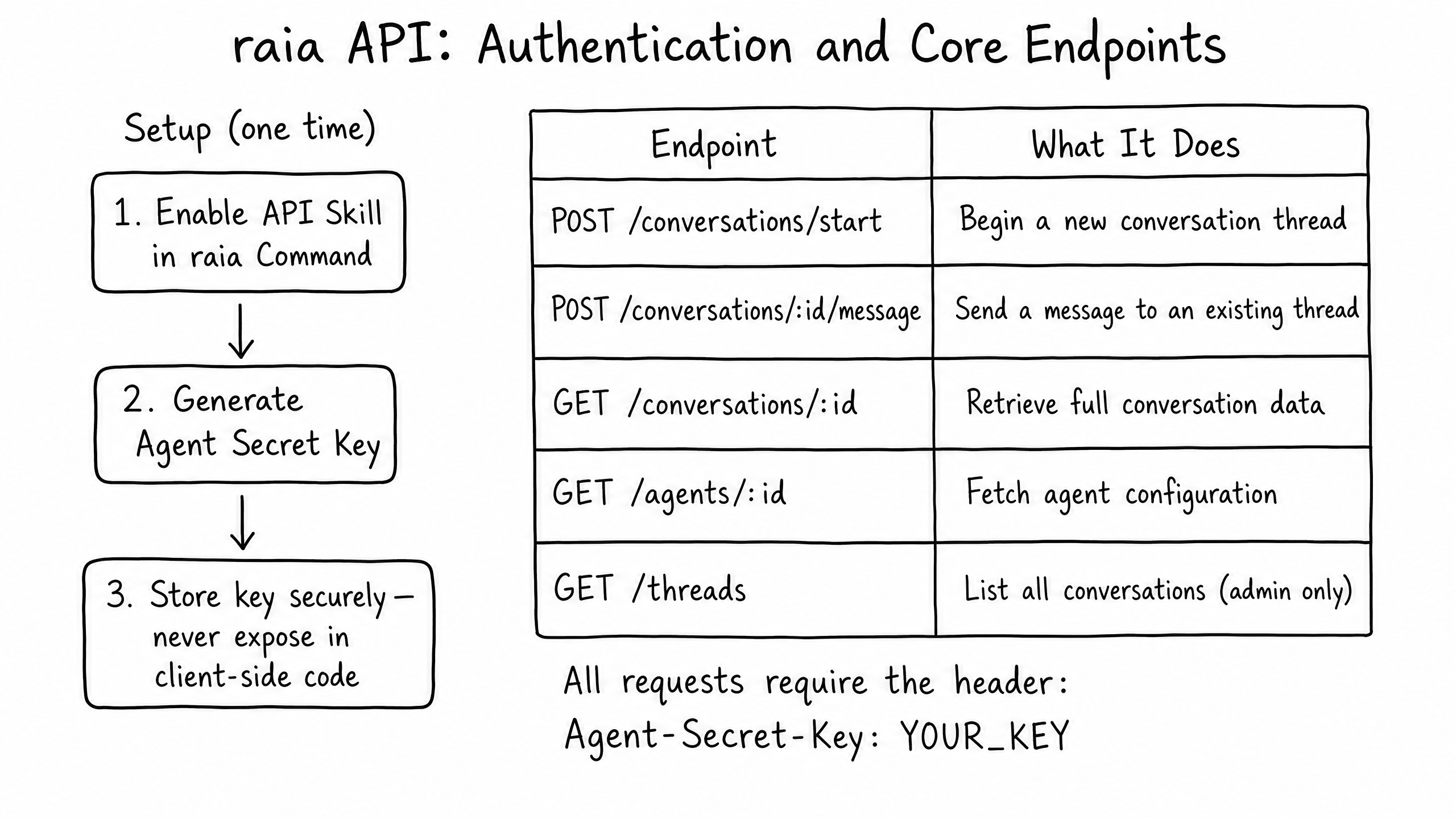
API access is not enabled by default. To use the API:
- Enable the API Skill in raia Command.
- Generate an Agent Secret Key from the Settings panel.
- Pass this key in the header of every API request as
Agent-Secret-Key: YOUR_KEY.
Security Note: This key is a Bearer Token providing full programmatic access to the agent. Store it securely on your server and never expose it in client-side code (like the JS SDK).
Core Endpoints
/api/conversations/startStart a new thread and optionally pass initial context.
/api/conversations/:id/messageSend a user message to an existing thread and receive the agent's reply.
/api/conversations/:idRetrieve the full history of a specific conversation.
Frequently Asked Questions
What happens if my webhook endpoint is down when raia tries to send data?
Webhook success and failure are tracked in the thread metadata. Admins can view these logs in Mission Control. Failed attempts may require manual review depending on your retry configuration.
Can I customize the JSON payload sent by the webhook?
The base payload structure is fixed to ensure consistency, but you can filter or transform the data downstream using an integration platform like n8n or Zapier before it reaches its final destination.
Are API rate limits applied per agent or per organization?
Rate limits and usage quotas are generally applied at the organization level, though keys can be scoped per agent to enforce least-privilege access.