What you will learn
- Understand the difference between the context window and the system prompt.
- Structure a high-quality system prompt using the Four Pillars framework.
- Calibrate agent autonomy using specific instructional patterns.
- Implement the ReAct (Reason and Act) loop for complex decision-making.
The System Prompt as Agent DNA
In traditional software, behavior is defined by code. In an AI agent, behavior is defined by the system prompt. It acts as the foundational DNA of the agent, defining its core identity, rules, personality, and operational boundaries.
A common mistake is treating the system prompt like a search query. It is not. It is a configuration file for a digital employee.
Context window vs. system prompt
To engineer effective prompts, you must understand the context window — the total amount of information the AI can retain in its working memory during a single interaction. The context window is filled by three things:
01
The System Prompt
The static instructions that never change.
02
The Retrieved Context
The dynamic chunks of data pulled from the Vector Store via RAG.
03
The Conversation History
The ongoing back-and-forth with the user.
If your system prompt is too long or poorly structured, it consumes too much of the context window, leaving less room for retrieved knowledge and causing the agent to "forget" earlier parts of the conversation.
The Four Pillars of a High-Quality Prompt
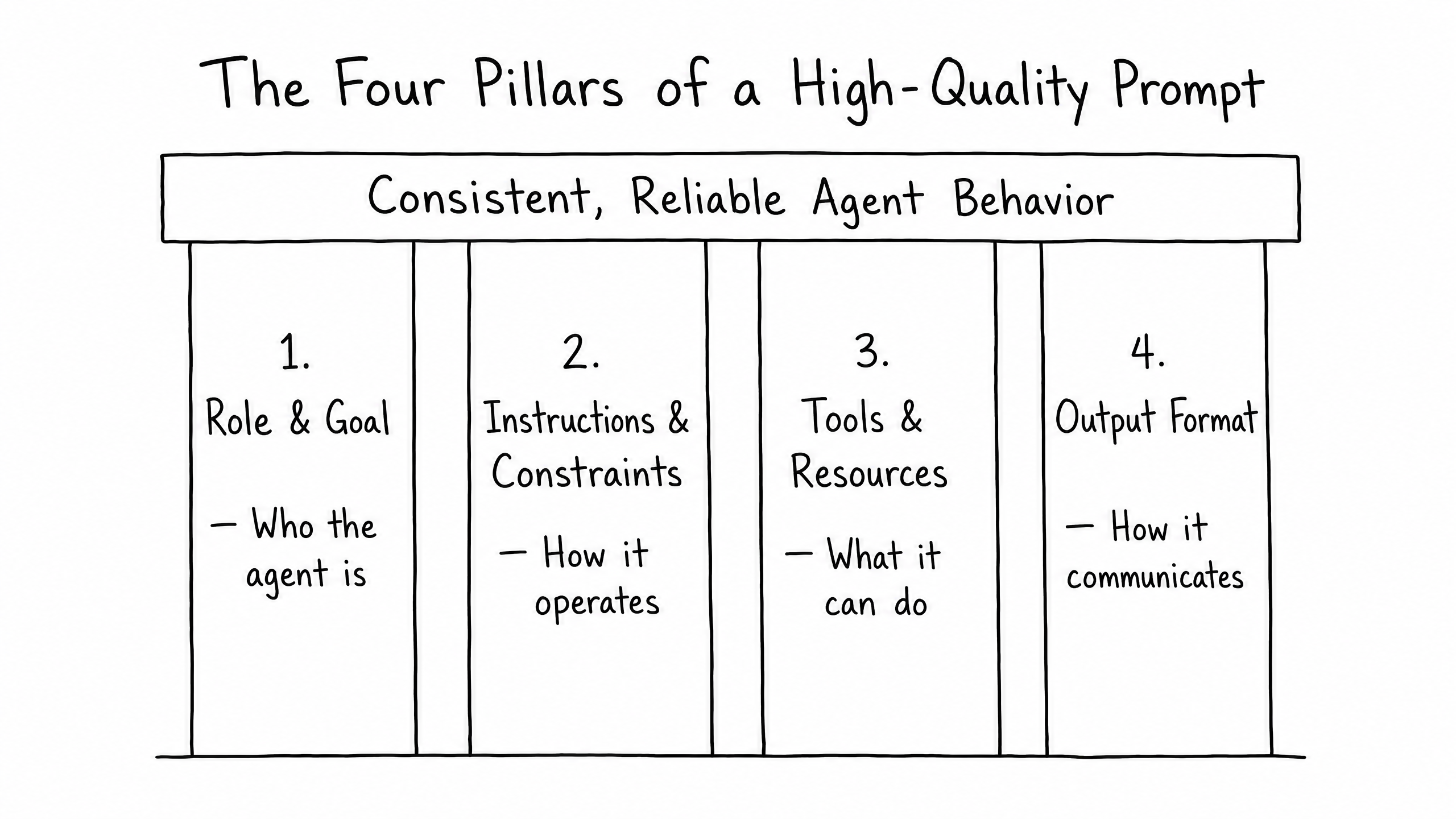
A robust system prompt is not a monolithic block of text. It should be highly structured. We recommend organizing your prompt into four distinct pillars:
Pillar 01
Role & Goal
Defines who the agent is and its primary objective. (e.g., 'You are a Level 2 Technical Support Agent. Your goal is to resolve API integration issues.')
Pillar 02
Instructions & Constraints
Defines how the agent operates and what it must never do. This is where you establish negative constraints.
Pillar 03
Tools & Resources
Defines what the agent can do. If the agent has access to external functions or webhooks, you must explicitly tell it how and when to use them.
Pillar 04
Output Format
Defines how the agent communicates (e.g., tone, JSON structure, Markdown tables).
Calibrating Autonomy
Autonomy is not a binary switch; it is a spectrum. As the prompt engineer, you use the system prompt to turn the dial and set the exact level of independence your agent should have.
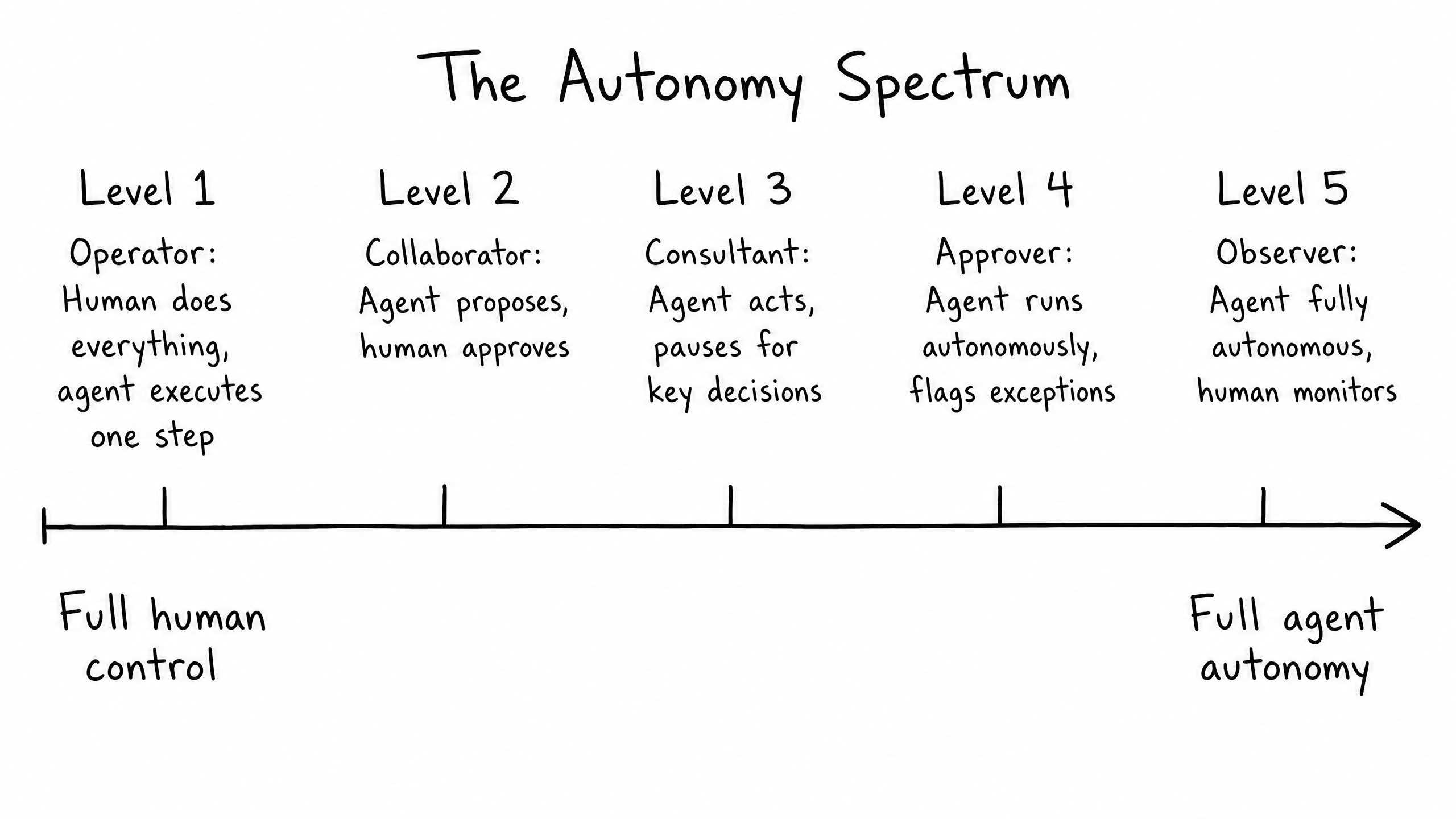
You control this level through explicit instructions:
Level 2 Collaborator
"Propose a troubleshooting plan. Wait for the user to approve the plan before you execute any steps."
Level 4 Approver
"You may issue refunds up to $50 automatically. For any amount higher, you must draft the refund request and ask the user for approval."
Structuring for Decision-Making: The ReAct Loop
To act autonomously, an agent needs a framework for making decisions. The most effective pattern for this is ReAct (Reason and Act).
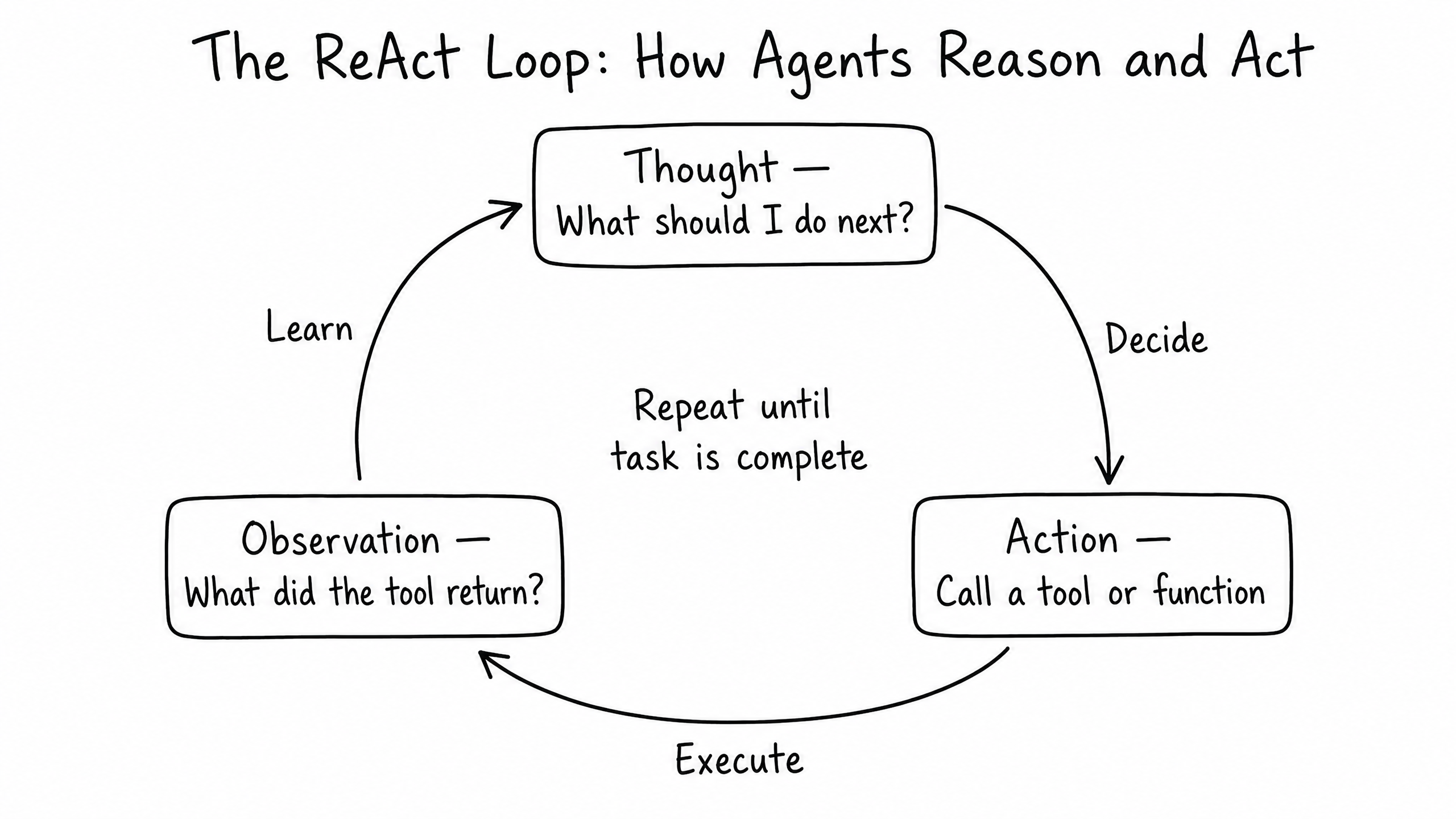
Instead of just predicting the next word, you instruct the agent to cycle through a specific loop:
- 1
Thought
The agent reasons about the current state of the task.
- 2
Action
The agent decides to use a tool or function to gather data or affect change.
- 3
Observation
The agent looks at the result of that tool call.
Example instruction
"Before answering the user, you must first THINK about what data you need. Then, use the search_knowledge_base tool to ACT. Finally, OBSERVE the results and formulate your final response."
raia's underlying architecture is already optimized for this pattern, but explicitly calling it out in your system prompt ensures the agent handles complex, multi-step problems reliably.
Frequently Asked Questions
How long should my system prompt be?
As long as necessary, but as concise as possible. A good rule of thumb is 500 to 1,500 words. Use clear headings and bullet points — the LLM processes structured text much better than dense paragraphs.
What happens if the system prompt conflicts with a document in the Vector Store?
The system prompt almost always wins. The LLM treats the system prompt as its core operating instructions, while retrieved documents are treated as reference material.
How do I handle errors when the agent uses a tool?
Treat errors as a learning opportunity. Instruct the agent: 'If a tool returns an error, do not apologize to the user immediately. Read the error message, correct your parameters, and try the tool again.'