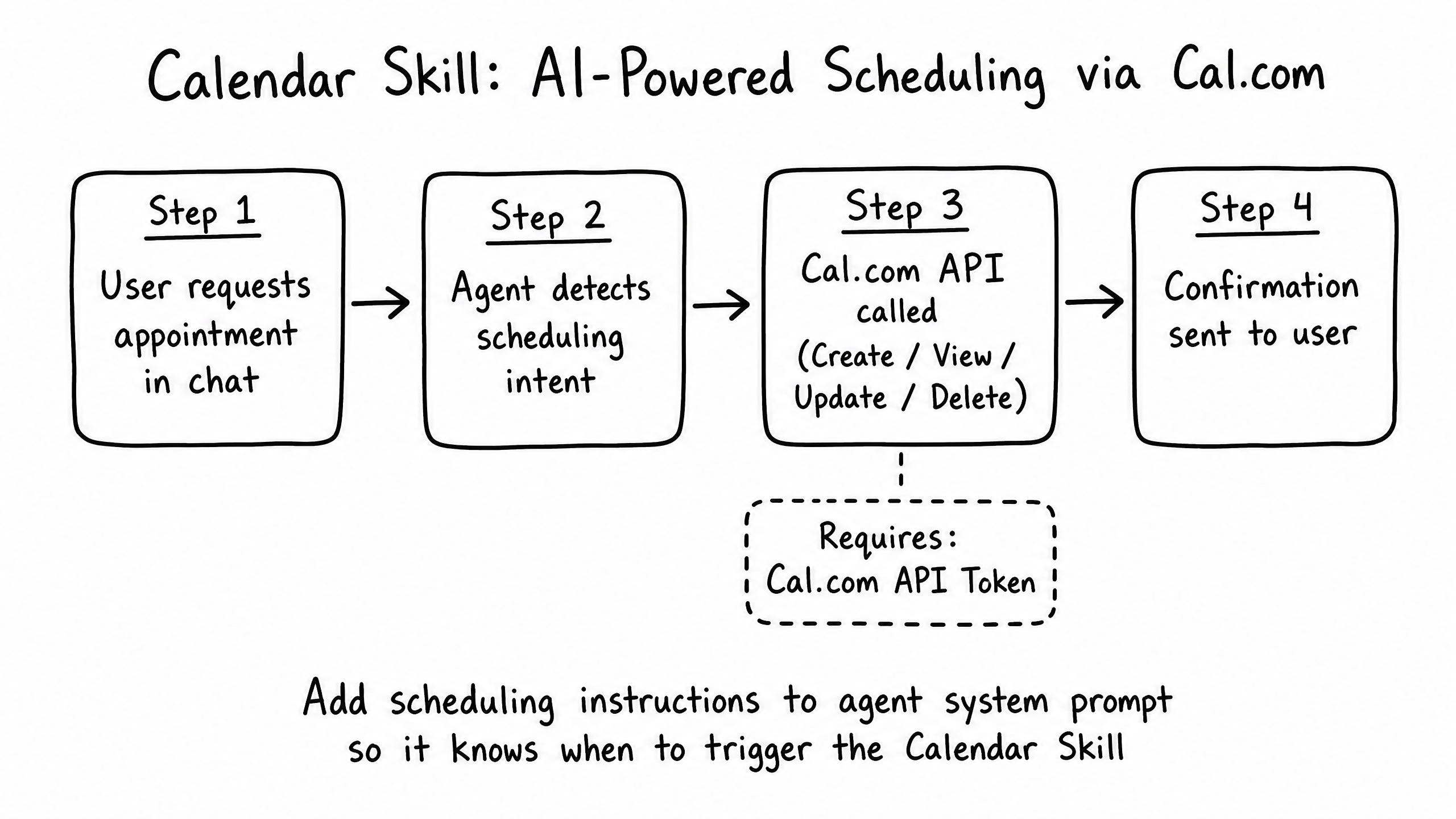
How it works
The Calendar skill enables your agent to schedule, modify, and cancel appointments directly within a conversation, integrating seamlessly with external calendar providers.
Video overview
Key features
Availability Checking
The agent checks real-time availability before proposing times.
Direct Booking
Users book appointments without leaving the chat.
Rescheduling & Cancellations
The agent manages modifications to existing appointments.
Timezone Awareness
Automatically handles timezone conversions between user and calendar.
How to configure it
- 01
Enable the Calendar skill in Launch Pad.
- 02
Authenticate with your calendar provider (Google Calendar, Outlook, Calendly) via OAuth or API keys.
- 03
Configure meeting duration, buffer times, and how far in advance bookings can be made.
- 04
Add instructions telling the agent when to offer an appointment and what information to collect.
Frequently asked questions
Can the agent book for multiple team members?
Yes — depending on the provider, you can configure round-robin scheduling or let the user select a team member.
Does the user receive a confirmation email?
The connected calendar provider handles the standard calendar invite and confirmation emails once the booking is created.