How it works
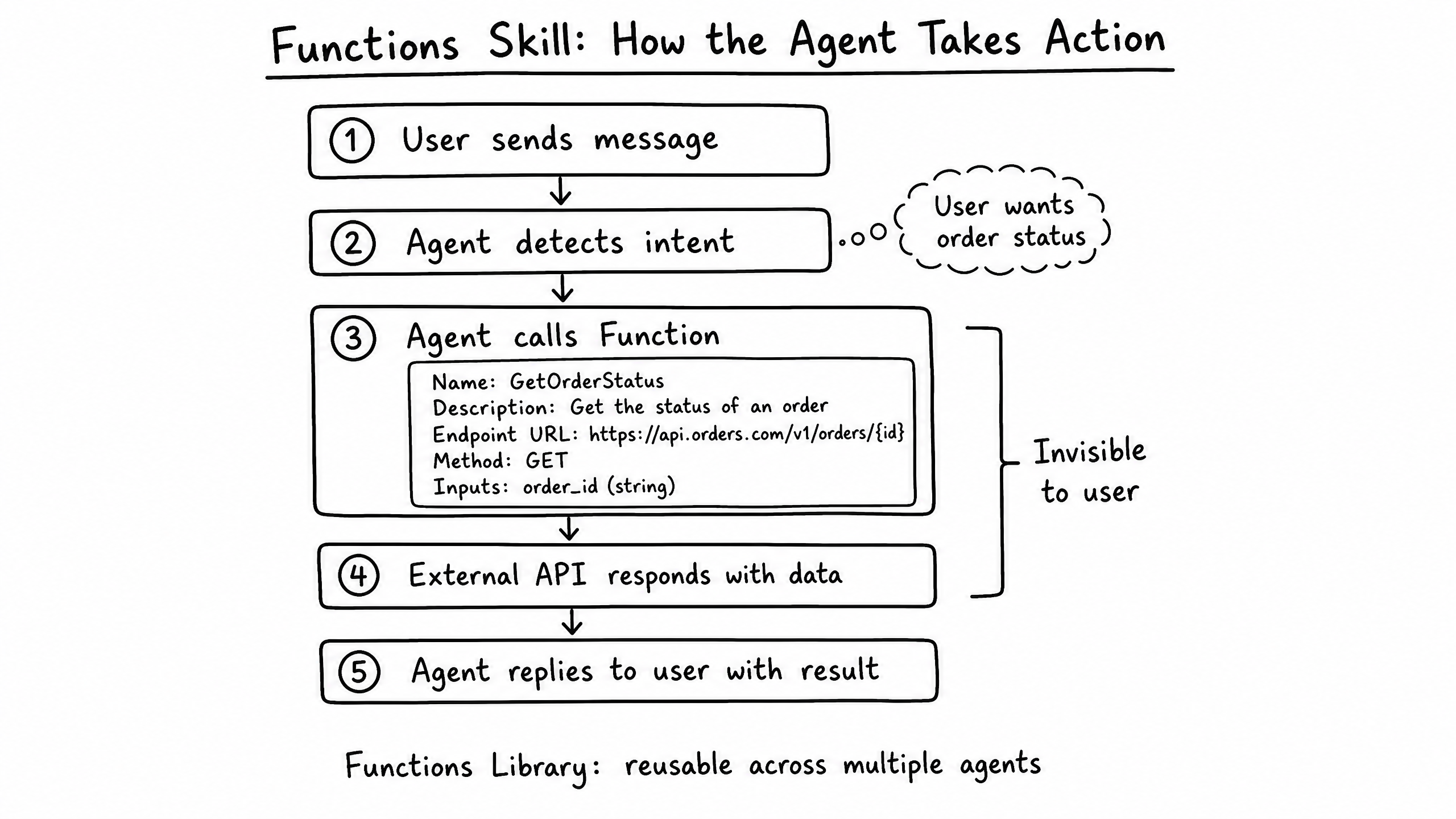
The Functions skill is how your agent takes action. It allows the agent to make real-time API calls to external systems during a conversation to retrieve data (like an order status) or perform an action (like creating a ticket).
Video overview
Key features
Dynamic Execution
The agent decides when to call a function based on the user's intent.
Parameter Extraction
Automatically extracts required inputs (e.g., an order ID) from the conversation.
Follow-Up Prompting
If parameters are missing, the agent asks the user before executing.
Reusable Library
Define a function once and share it across multiple agents in your organization.
How to configure it
- 01
Enable the Functions skill in Launch Pad.
- 02
Define the function with a clear Name and Description — the Description tells the LLM exactly when to use it.
- 03
Set the target API URL and HTTP method (GET, POST, etc.).
- 04
Specify input parameters (e.g., order_id as a string).
- 05
Configure authentication (API keys, bearer tokens) required by the external system.
Frequently asked questions
What happens if the external API fails or times out?
The agent receives the error response and is instructed to inform the user gracefully, then optionally transfer to a human.
Can a function return data the agent uses in its reply?
Yes — that is the primary use case. The agent reads the JSON response and synthesizes a natural-language reply from it.