How it works
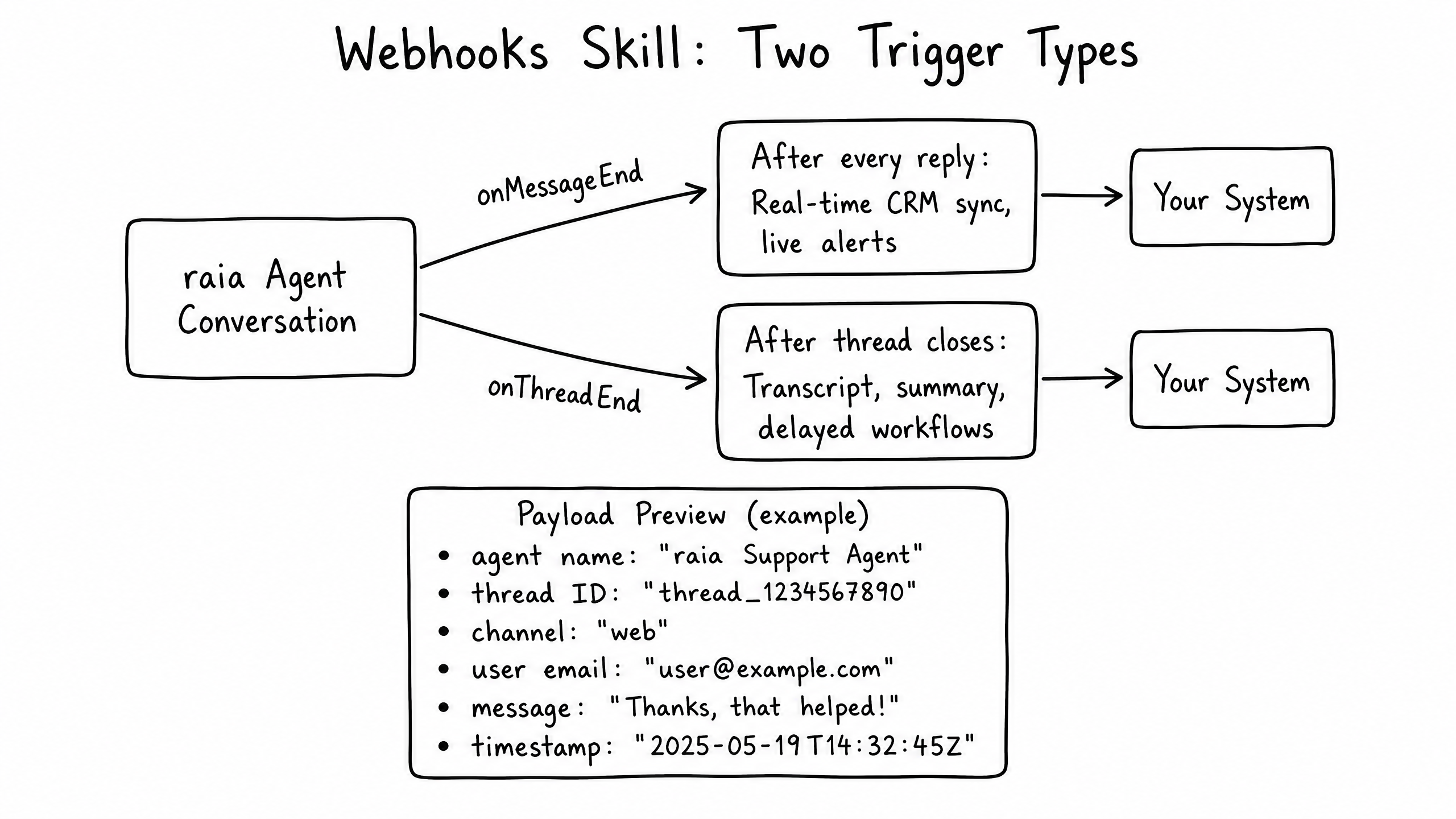
The Webhooks skill pushes data out of raia to your external systems. It triggers automatically when specific conversation events occur, allowing you to log transcripts, update CRMs, or kick off automated workflows in tools like Zapier or n8n.
Video overview
Key features
Event-Driven Push
Automatically sends data when a conversation event happens.
Standardized Payload
Consistent JSON payload with thread ID, user data, and message content.
Multiple Triggers
Real-time triggers (onMessageEnd) or batch triggers (onThreadEnd).
No-Code Friendly
Easily connects to Zapier, Make, and n8n.
How to configure it
- 01
Enable the Webhooks skill in Launch Pad.
- 02
Select the trigger event — after every message or only when a thread is closed.
- 03
Enter the endpoint URL of your receiving system or automation platform.
- 04
Optionally add authentication headers or custom metadata.
Frequently asked questions
What is the difference between Functions and Webhooks?
Functions are pulls — the agent calls an API during the conversation. Webhooks are pushes — the system sends data after an event occurs.
What if my receiving server is down?
raia retries delivery a limited number of times before logging the failure.