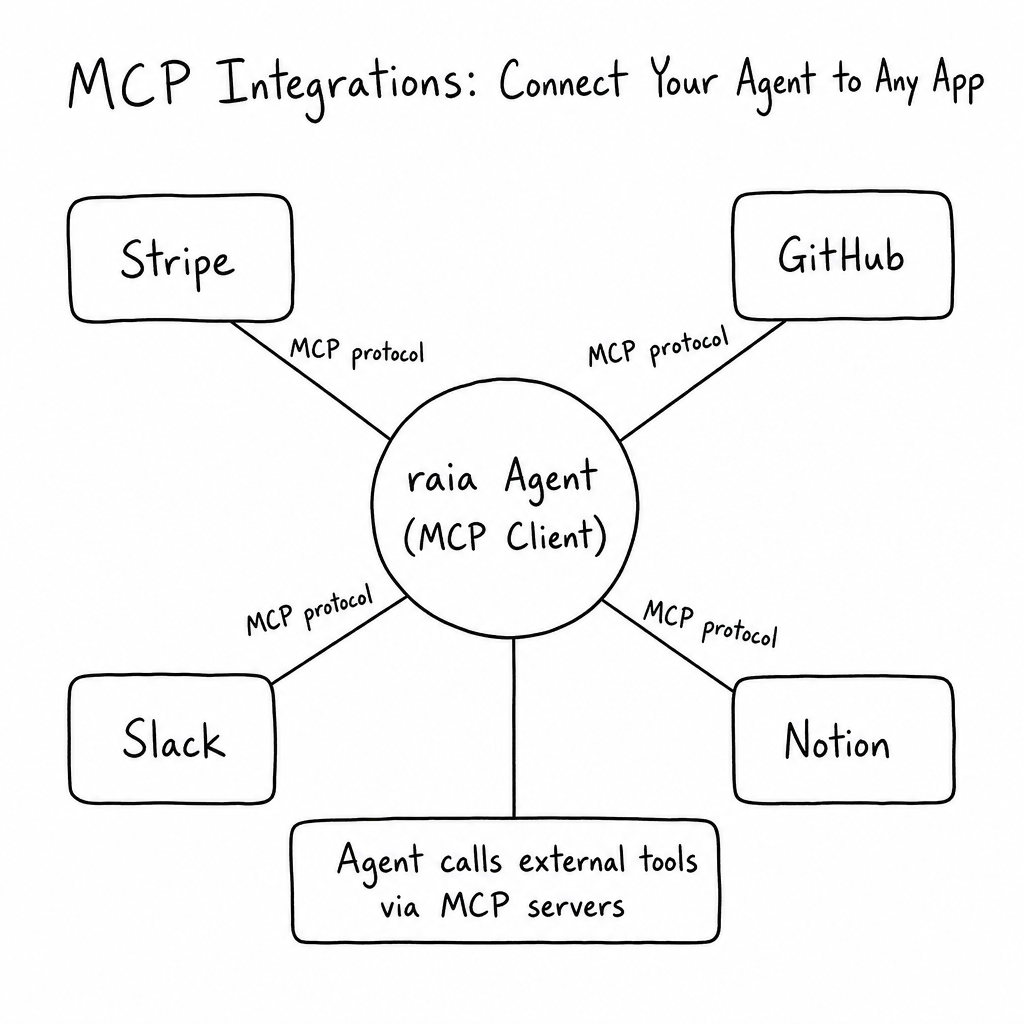
How it works
MCP Integrations (Client Mode) lets your raia agent connect to any external MCP server by URL. Tools are discovered automatically and injected into the agent's toolkit — no custom Functions required. Pick exactly which tools the agent is allowed to use, add a Bearer token if needed, and the agent can call them on the next message. Popular servers include Stripe, GitHub, Notion, Slack, and Salesforce.
Key features
Client Mode (Integrations)
Connect the agent to any external MCP server by URL. Tools are discovered automatically and injected into the agent's toolkit.
Transport Options
Supports both Streamable HTTP (standard) and SSE (Server-Sent Events) for streaming servers.
Granular Tool Selection
When adding an integration, pick exactly which discovered tools the agent is allowed to use — leave destructive tools off by default.
Runtime Tool Routing
Selected external tools are passed to the LLM as type: 'mcp' alongside custom functions; raia routes execution to the external server and feeds the response back into context.
Custom Auth Headers
Add a Bearer Authorization token plus any custom headers like X-API-Key when the external server requires them.
Archive & Manage
Temporarily archive an integration to disable its tools without losing configuration, or delete it entirely.
How to configure it
- 01
Open the MCP skill and select the Integrations tab (Client Mode).
- 02
Click Add Integration, give it a clear Name (used as the server_label sent to the LLM) and Description.
- 03
Enter the external MCP server URL and choose the Transport (Streamable HTTP or SSE).
- 04
If required, add a Bearer Authorization token and any custom headers like X-API-Key.
- 05
Click Get Available Tools, tick the specific tools the agent is allowed to use, and save. The agent can call them on the next message.
Frequently asked questions
What is the difference between MCP Tools and MCP Integrations?
MCP Tools (Server Mode) makes your raia agent callable by external MCP clients. MCP Integrations (Client Mode) lets your raia agent call tools hosted on someone else's MCP server. Both can be enabled at the same time.
When should I use MCP Integrations instead of Functions?
Use Functions for a single REST endpoint. Use MCP Integrations for complex systems with many actions (GitHub, Jira, Salesforce), for secure internal data sources, or when the provider already ships an MCP server so you skip writing custom API wrappers.
Can I connect to a local MCP server on localhost?
No. raia CX runs in the cloud, so external MCP servers you integrate with must be publicly reachable on the internet. localhost and 127.0.0.1 will not connect.
How do I keep the agent safe when connecting external tools?
Only tick the specific tools you trust when adding an integration. Avoid granting destructive tools (like drop_database) unless strictly necessary, and prefer read-only tools whenever possible.