MCP · Quick Guide
Quick Guide to Add Agent to Claude
Connect your raia agent to Claude as a Custom Connector using MCP with OAuth. Four short steps, no code required.
Before you start: make sure the MCP Skill is enabled on your agent in the raia Dashboard and that you have your agent's OAuth Registration URL (looks like https://api.raia2.com/mcp/<YOUR_AGENT_ID>). See the MCP Skill reference for full details.
- Step 01
Open Claude Connectors and add a custom connector
In Claude, open Settings → Connectors and click Add → Add custom connector. Give it a name (e.g. raia) and paste your agent's OAuth Registration URL:https://api.raia2.com/mcp/<YOUR_AGENT_ID>. Leave the OAuth Client ID and Secret fields empty — raia uses Dynamic Client Registration. Click Add.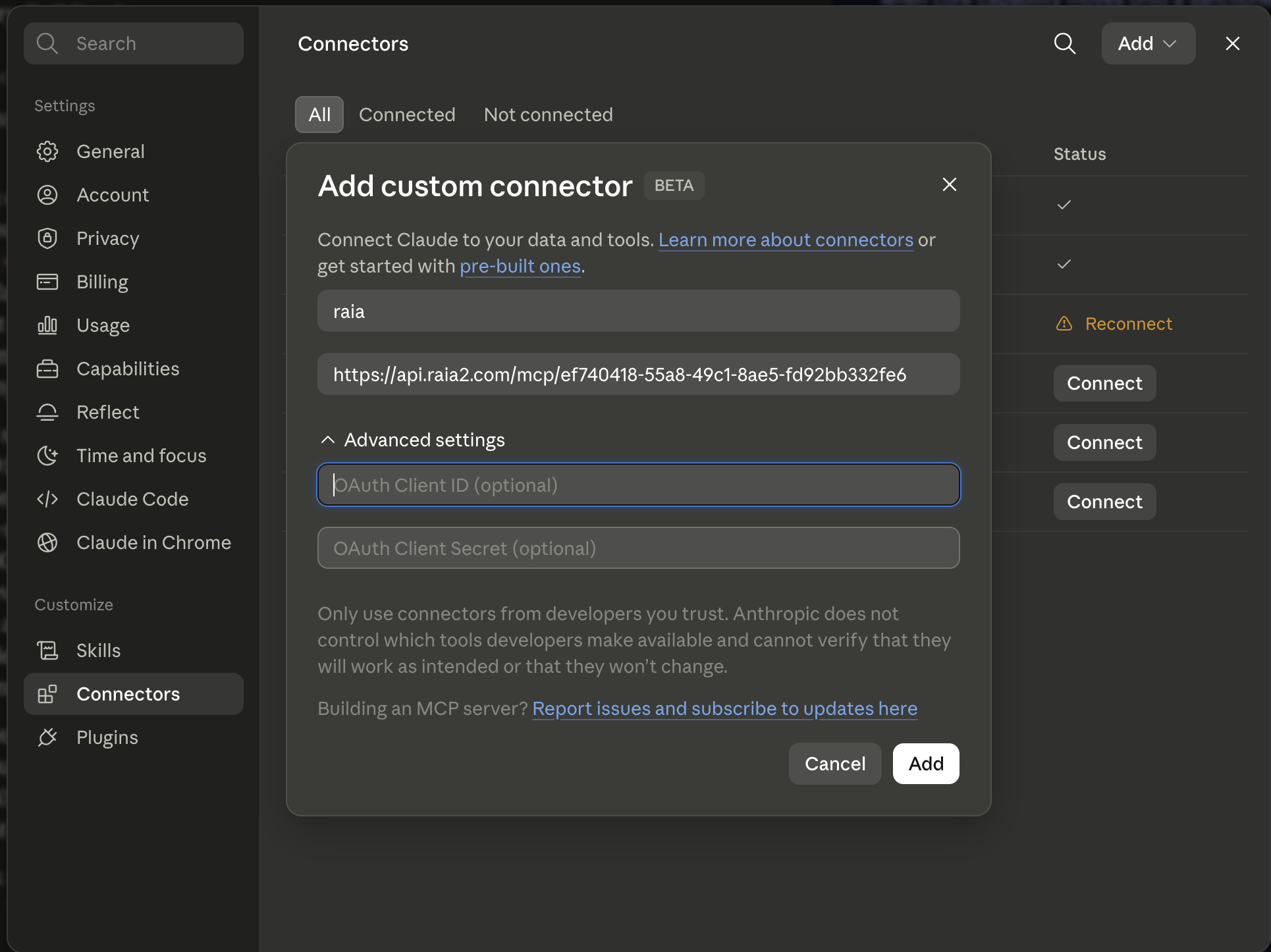
- Step 02
Allow Claude to connect to your agent
Claude opens a browser window and redirects to raia to authenticate. You'll see a consent screen titled "Claude wants to connect to your agent" listing your agent and the permissions being requested — typically Ask your agent questions and read its responses and offline_access. Click Allow to authorize the connection.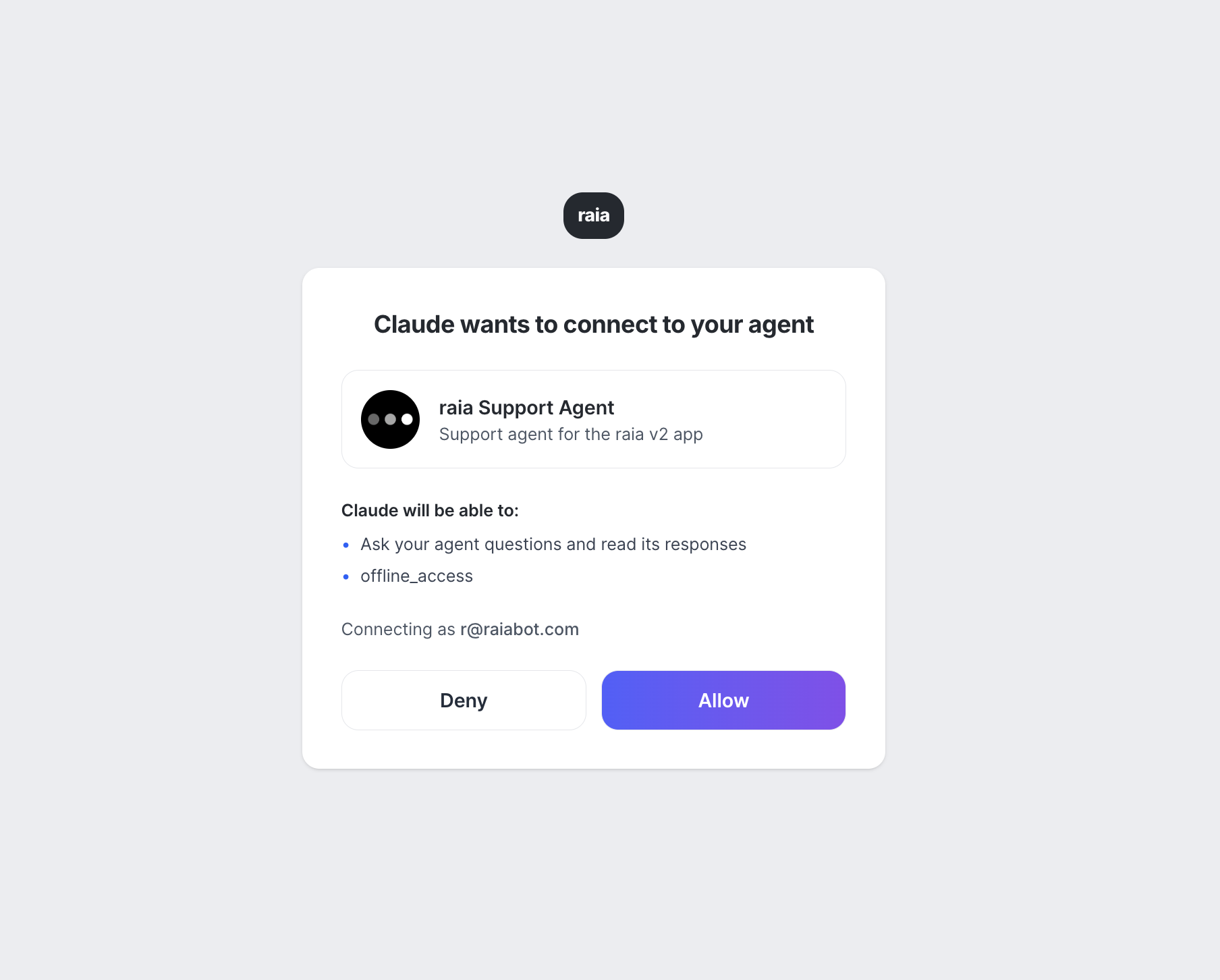
- Step 03
Use your agent inside Claude
Back in Claude, your connector now shows a green ✓ badge. In any conversation, click the + button in the composer, open Connectors, and toggle your raia agent on. Claude will route matching questions to your agent's full AI pipeline — including its knowledge base and skills — and stream the response back into the chat.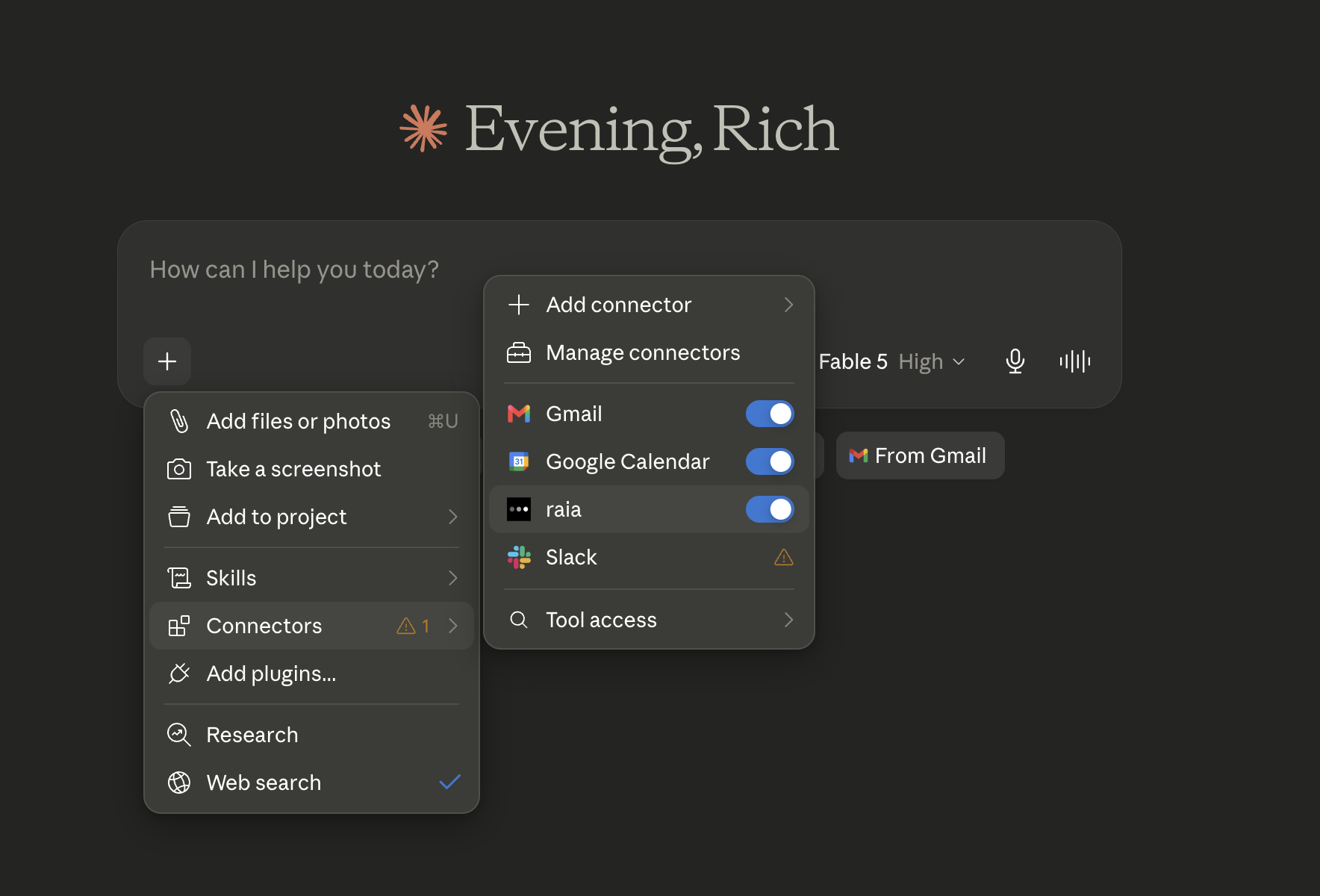
- Step 04
Talk to your agent from any Claude chat
In any new Claude conversation, type@raia(or your connector's name) followed by your question — for example "@raia hello". Claude shows a Loaded tools, used raia integration notice, then invokes theget-any-info-about-<agent-name>tool. Your prompt is passed to raia, run through the agent's full AI pipeline (knowledge base, connectors, and skills), and the response streams back into the chat just like any other Claude reply.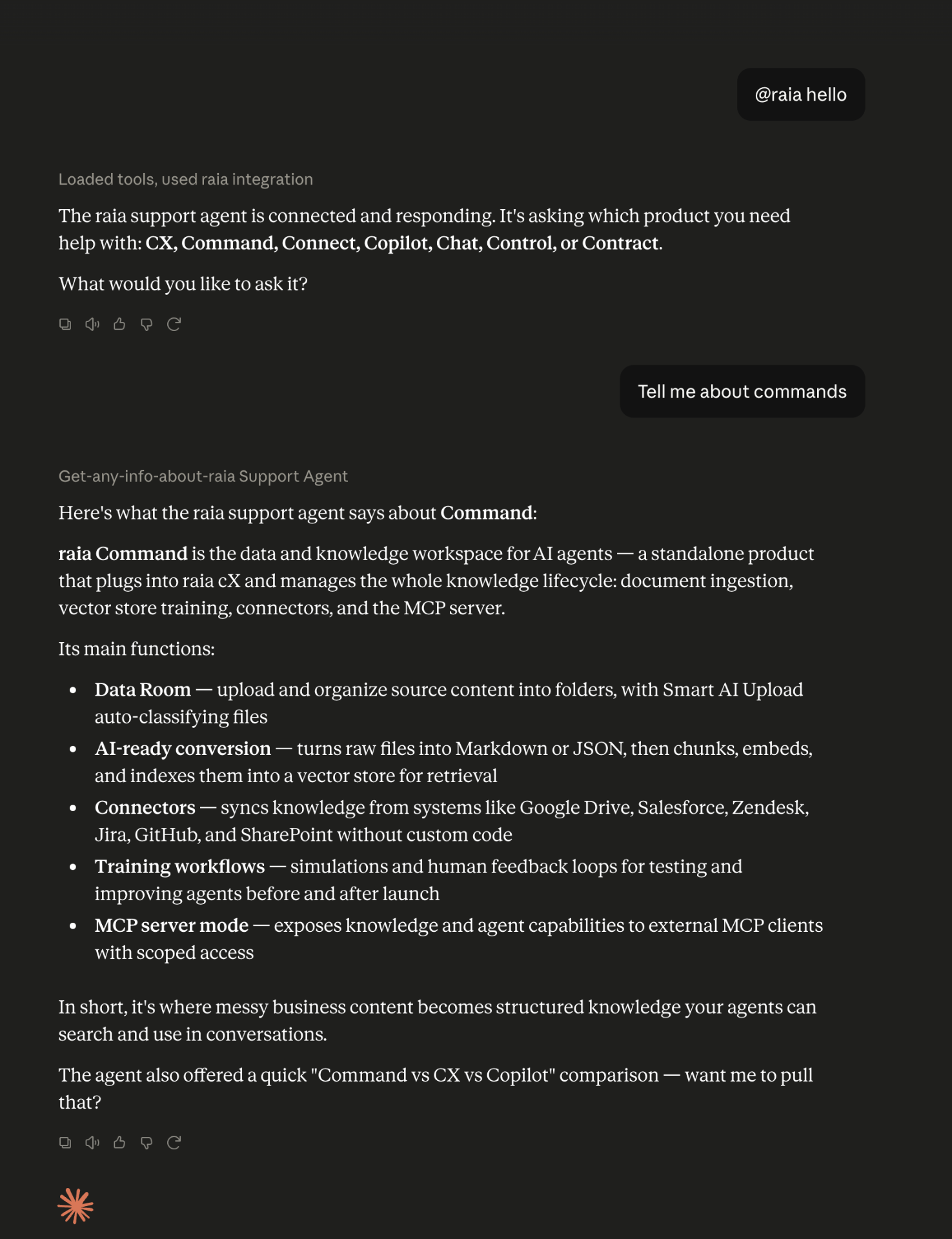
That's it — you're connected.
The same OAuth flow works for ChatGPT, Cursor, and Windsurf. See the ChatGPT Quick Guide or the MCP Skill guide for per-client setup and the Bearer-token fallback.