01
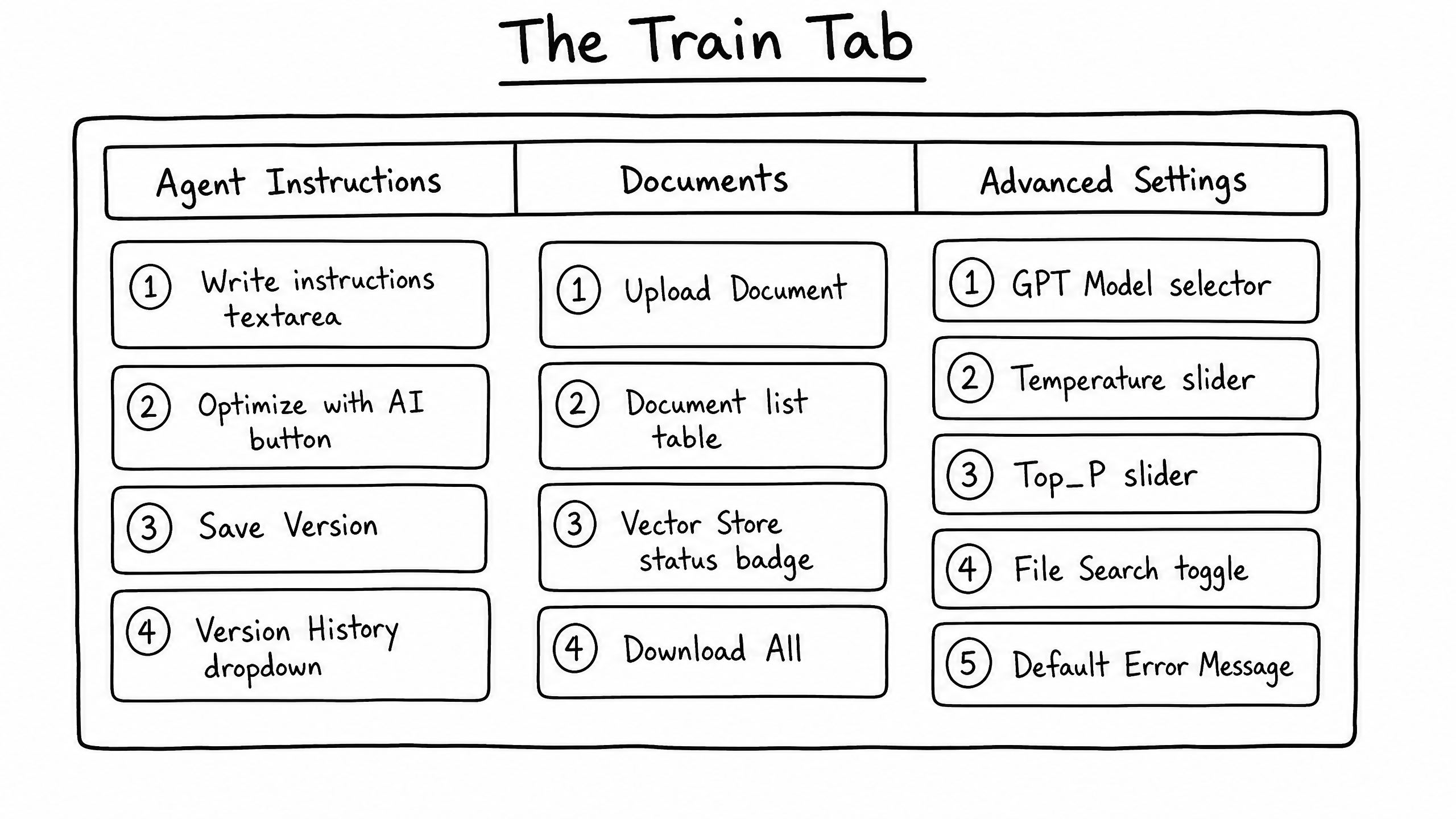
Sub-tab: Agent Instructions
The core prompt that governs the agent's behavior.
- Write Instructions textarea — define persona, rules, and objectives in plain text or Markdown.
- Optimize with AI — automated review that suggests improvements for clarity and effectiveness.
- Save Version — snapshot the current instructions as a distinct version.
- Version History dropdown — revert to or review previous versions.
- Linked Packs — manage reusable instruction packs linked to this agent.
02
Sub-tab: Documents
Manages the agent's knowledge base via Retrieval-Augmented Generation (RAG).
- Upload Document — add PDFs, text files, and other supported formats for the agent to reference.
- Document List table — every uploaded document with size and upload date.
- Vector Store status badge — confirms documents have been processed and indexed.
- Bulk actions & Download All — manage multiple documents at once.
03
Sub-tab: Advanced Settings
Granular control over the underlying AI model and its behavior.
| Setting | Description | When to use |
|---|---|---|
| GPT Model Selector | Choose the specific LLM powering the agent (e.g., GPT-4o, GPT-3.5-turbo). | Select based on required reasoning capability vs. cost / speed. |
| Reasoning Effort | On supported models, controls how much compute the model uses for reasoning before responding. | High for complex logic, low for simple queries. |
| Creativity (Temperature) | Slider (0 to 2) controlling output randomness. | 0.2–0.5 for deterministic / technical output; 0.7–1.0 for creative tasks. |
| Randomness (Top_P) | Slider (0 to 1) controlling nucleus sampling. | Lower for structured responses, higher for open-ended chat. |
| File Search Toggle | Enables document search; includes a Max Num Results slider (1–50). | Enable when the agent must reference uploaded knowledge. |
| Code Interpreter | Lets the agent write and execute Python code. | Enable for data analysis or complex mathematical tasks. |
| JSON Schema Output | Forces responses to match a specific JSON schema. | Enable when integrating the agent with APIs or structured systems. |
| Default Error Message | Custom message displayed when the agent encounters a critical failure. | Set a polite fallback (e.g., "I'm currently experiencing technical difficulties."). |
—
Tips
- Temperature and Top_P are global to the agent — they apply across every channel.
- Switching the GPT model? Re-test in the Sandbox; different models interpret the same prompt differently.