How it works
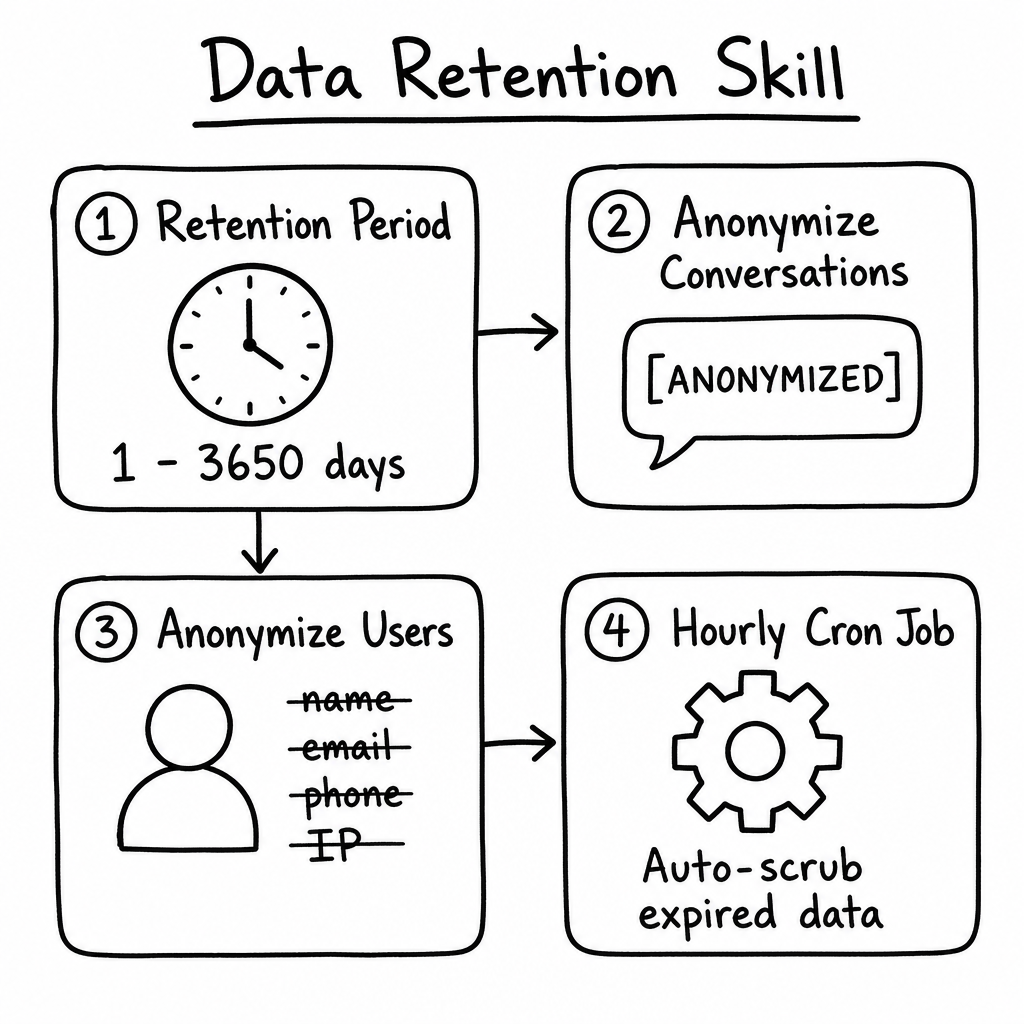
The Data Retention skill is a privacy and compliance feature that automatically scrubs sensitive information from older conversations. Instead of manually deleting old chats, a background job runs every hour to anonymize conversations and their attached user profiles once they cross a configurable retention threshold (1–3,650 days). Message content, AI responses, conversation context, and PII (names, emails, phone numbers, IPs) are overwritten with null values or the placeholder [ANONYMIZED], helping you comply with GDPR, CCPA, and data-minimization principles while preserving the structural metadata needed for long-term analytics.
Key features
Configurable Retention Period
Set any retention window from 1 to 3,650 days (10 years). The default is 30 days, aligned with common privacy-policy defaults.
Conversation Anonymization
Toggle on to clear message text, raw AI responses, tool outputs, conversation title, context, metadata, and AI summary, and archive the conversation.
User Anonymization
Toggle on to scrub PII from the users attached to expired conversations — name, email, phone, IP, country, and external foreign keys.
Hourly Background Cron
The ANONYMIZE_EXPIRED_CONVERSATION_DATA job runs every 60 minutes across every agent with the skill enabled — no manual triggers needed.
Last-Message Trigger
The retention countdown is based on the most recent message in a conversation, so active threads are never anonymized mid-conversation.
Audit Logging
Every run writes a DATA_RETENTION_ANONYMIZATION entry to the Action Logger with exact counts of conversations and users scrubbed per agent.
How to configure it
- 01
Open your Agent's Skills tab and locate the Data Retention card, then click SET UP.
- 02
Enter a Retention period (days) between 1 and 3650 — the default is 30. This is the age at which data becomes eligible for anonymization.
- 03
Toggle Anonymize conversations to ON to scrub message content, AI responses, and conversation context on expired threads.
- 04
Toggle Anonymize conversation users to ON to also scrub PII (name, email, phone, IP, country) from the users attached to those conversations.
- 05
Click Create (or Update). The hourly cron job will begin processing expired conversations on its next run — anonymization is permanent and cannot be reversed.
Frequently asked questions
How often does anonymization run?
A platform-wide cron job (ANONYMIZE_EXPIRED_CONVERSATION_DATA) runs every 60 minutes. For each enabled agent it computes the cutoff date and processes any conversation whose most recent message is older than that.
What triggers a conversation to be anonymized?
The age of the last message. If a user returns to a 29-day-old conversation and sends a new message under a 30-day policy, the timer resets for that entire thread.
Can anonymized data be recovered?
No. The system physically overwrites the database fields with null values or the [ANONYMIZED] placeholder. Restore is not possible — align your retention window with your legal and privacy policy before enabling.
What exactly gets cleared from a message?
message is replaced with [ANONYMIZED]; rawMessage, metadata, usedFunctions, fullAIResponse, and rawFullAIResponse are all cleared. The conversation itself has title, context, metadata, and aiSummary cleared, is marked isAnonymized, and set to ARCHIVED.
Should I enable both toggles?
For true GDPR/CCPA compliance you generally want both. Scrubbing a user's profile but leaving their chat history intact can still expose PII if they typed their name, email, or address into the conversation.