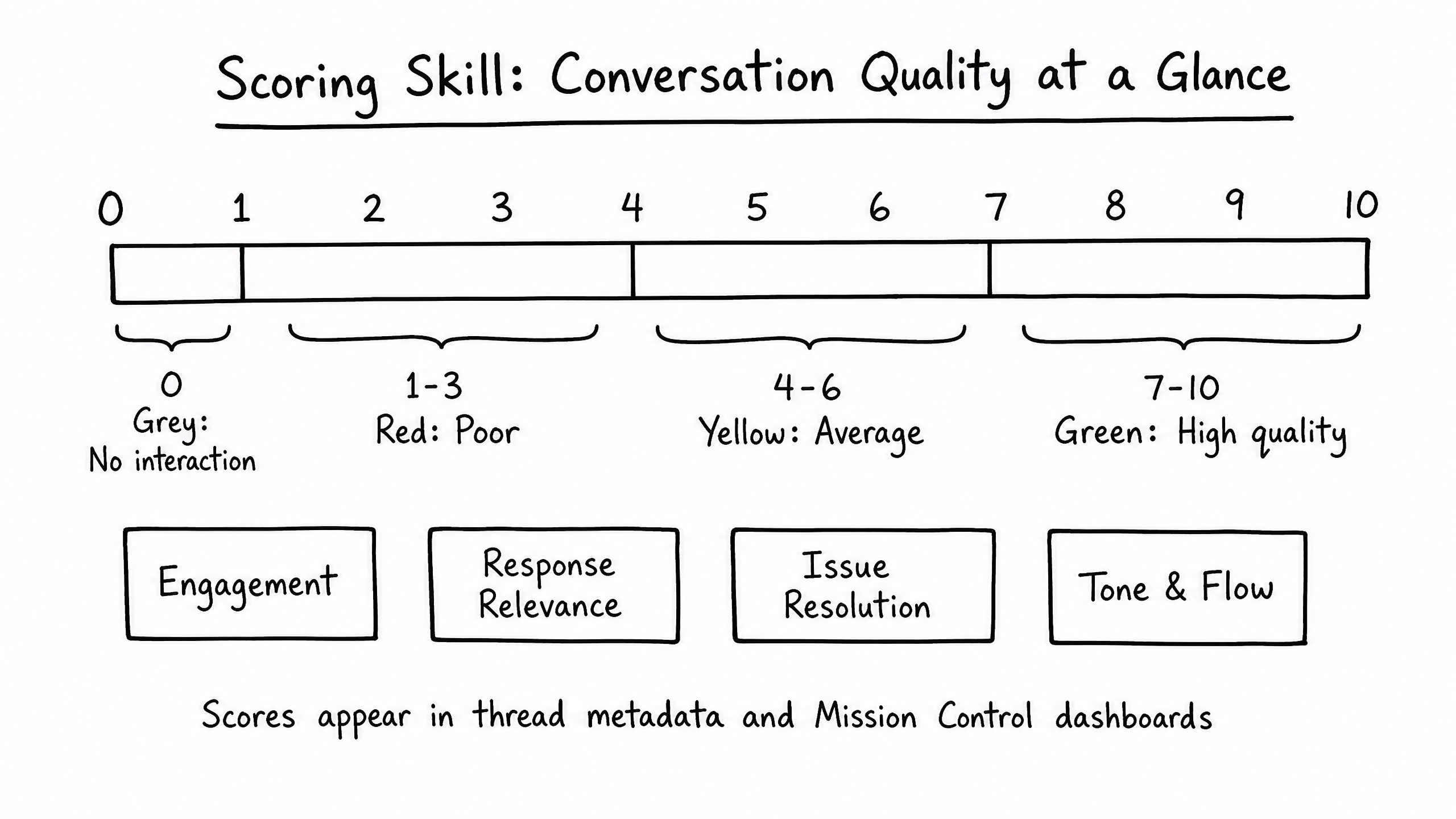
How it works
The Scoring skill automatically evaluates every completed conversation and assigns it a quality score based on accuracy, resolution, and user sentiment. This lets administrators quickly identify interactions that require review.
Video overview
Key features
Automated QA
Every thread is evaluated without manual human review.
Multi-Factor Scoring
Scores broken down by Accuracy, Resolution, and Engagement.
Flagging
Threads below the defined threshold are flagged for review in Copilot.
How to configure it
- 01
Enable the Scoring skill in Launch Pad.
- 02
Define the minimum acceptable score — threads below this are flagged.
- 03
Optionally adjust the weighting of scoring factors based on your priorities (e.g., prioritize Resolution over Sentiment).
Frequently asked questions
Who performs the scoring?
A secondary evaluator LLM reviews the transcript after the thread is closed.
Where do I see the scores?
In Copilot under the Analytics tab. Individual thread scores appear in the Admin Mode panel.