How it works
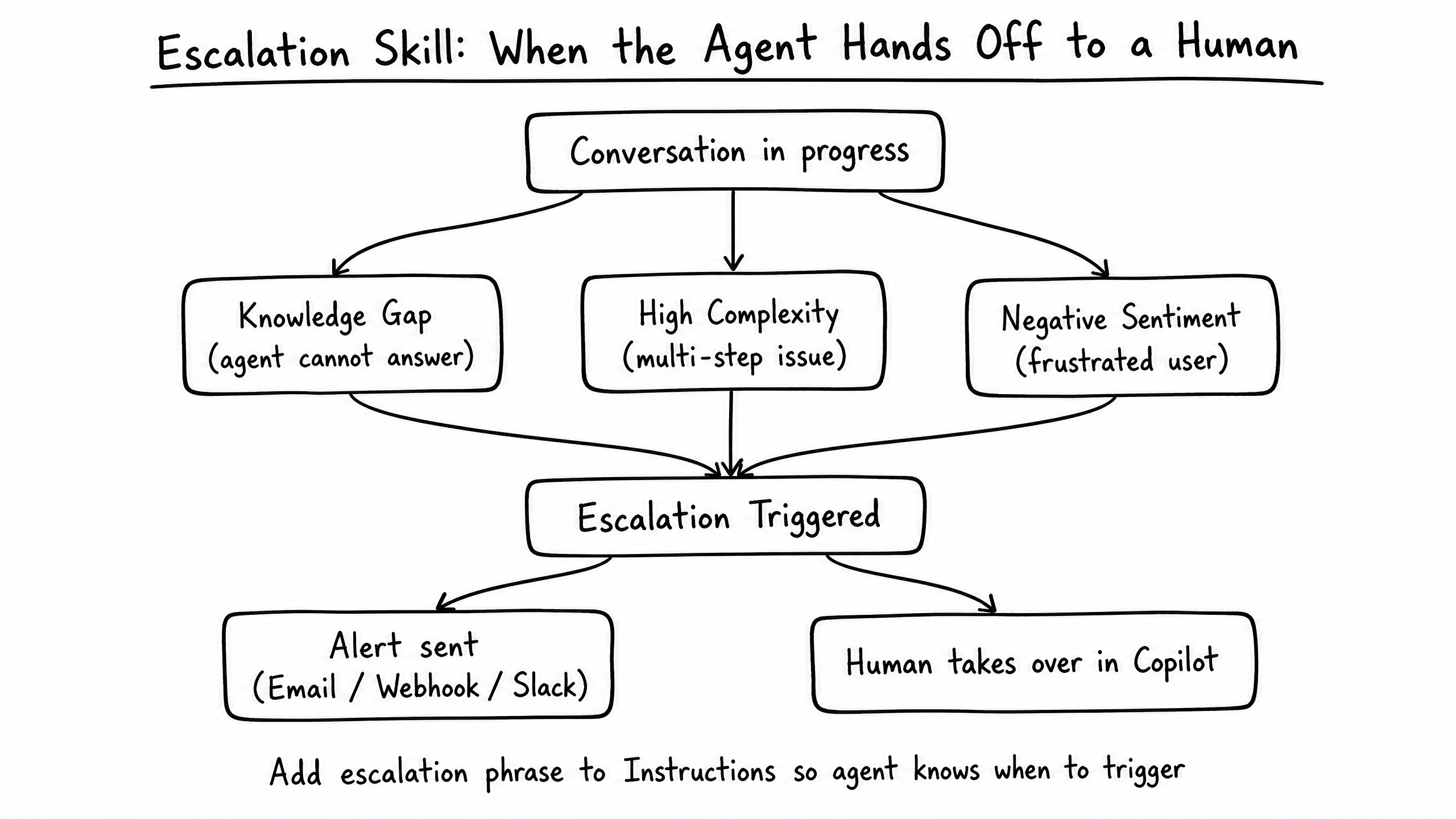
The Escalation skill provides a safety net for your agent. It defines exactly what happens when the agent encounters a situation it cannot resolve, ensuring the user is gracefully handed off to a human operator.
Video overview
Key features
Multiple Triggers
Trigger on knowledge gaps, high complexity, or negative sentiment.
Seamless Handoff
Transfers the conversation to a human in Copilot without changing channels.
Alert Notifications
Sends an email, SMS, or webhook alert to the support team.
How to configure it
- 01
Enable the Escalation skill in Launch Pad.
- 02
Select which conditions should trigger an escalation.
- 03
Configure where escalation alerts should be sent (email, Slack webhook, etc.).
- 04
Add an explicit instruction telling the agent what phrase to use when escalating.
Frequently asked questions
What happens if no human is available?
The agent collects the user's contact info and the issue context, then notifies the team via the configured alert channel so a human can follow up.