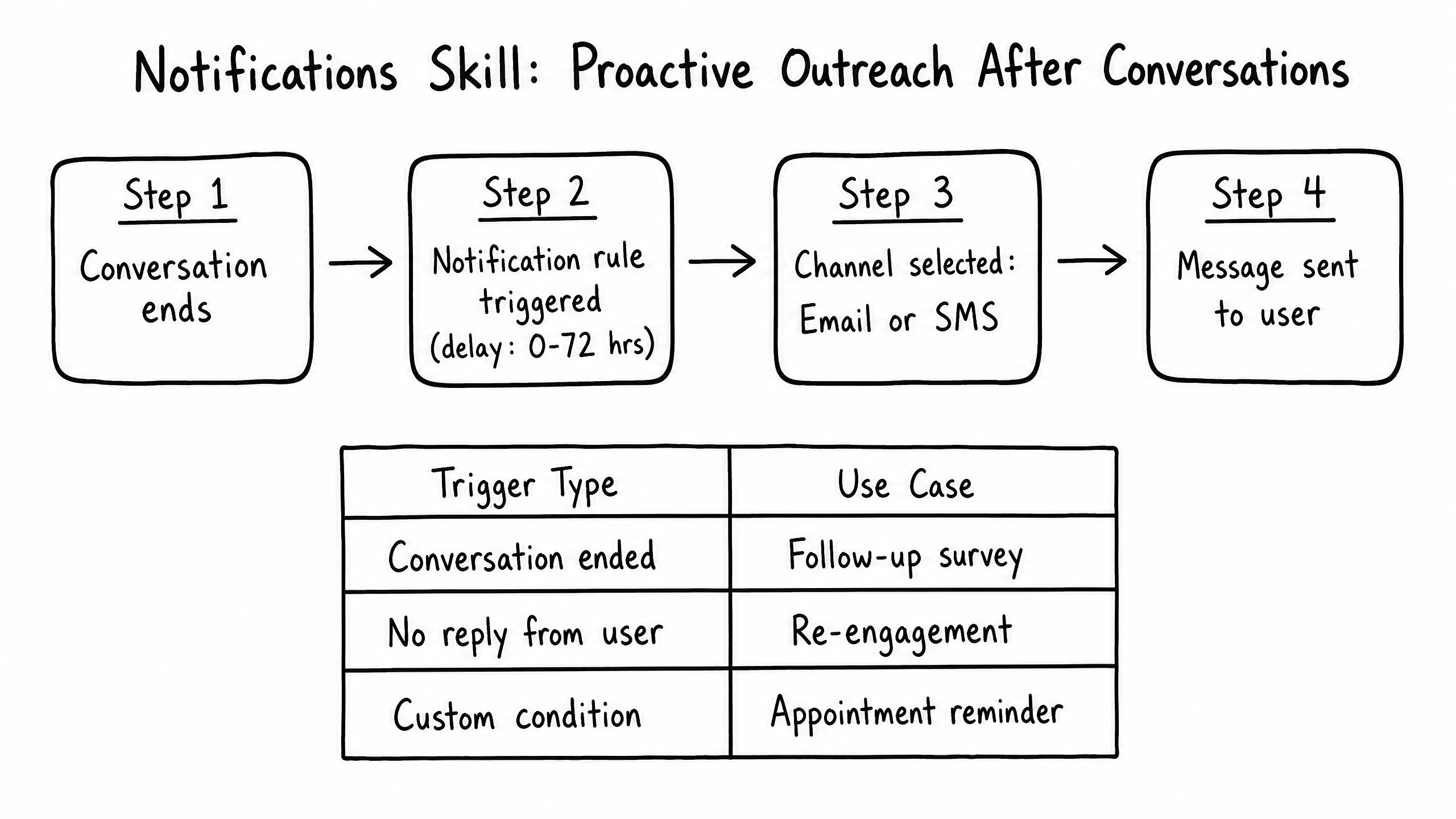
How it works
The Notifications skill allows the agent to initiate proactive outreach after a conversation has ended or when specific conditions are met — such as following up on an unresolved issue or sending a satisfaction survey.
Video overview
Key features
Delayed Triggers
Schedule a message hours or days after a specific event.
Multi-Channel
Send notifications via Email or SMS.
Conditional Logic
Only send if specific criteria are met (e.g., the issue was marked 'resolved').
How to configure it
- 01
Enable the Notifications skill in Launch Pad.
- 02
Create a rule by defining the trigger event (e.g., 'Thread Closed').
- 03
Specify the time delay (e.g., 24 hours).
- 04
Write the template for the notification message.
Frequently asked questions
Can the user reply to a notification?
Yes — replying to an SMS or Email notification opens a new conversation thread, retaining the original context.
Is this the same as raia Control?
No. Notifications are transactional, one-off follow-ups tied to a specific inbound conversation. raia Control is for bulk, proactive outbound campaigns to lists of contacts.