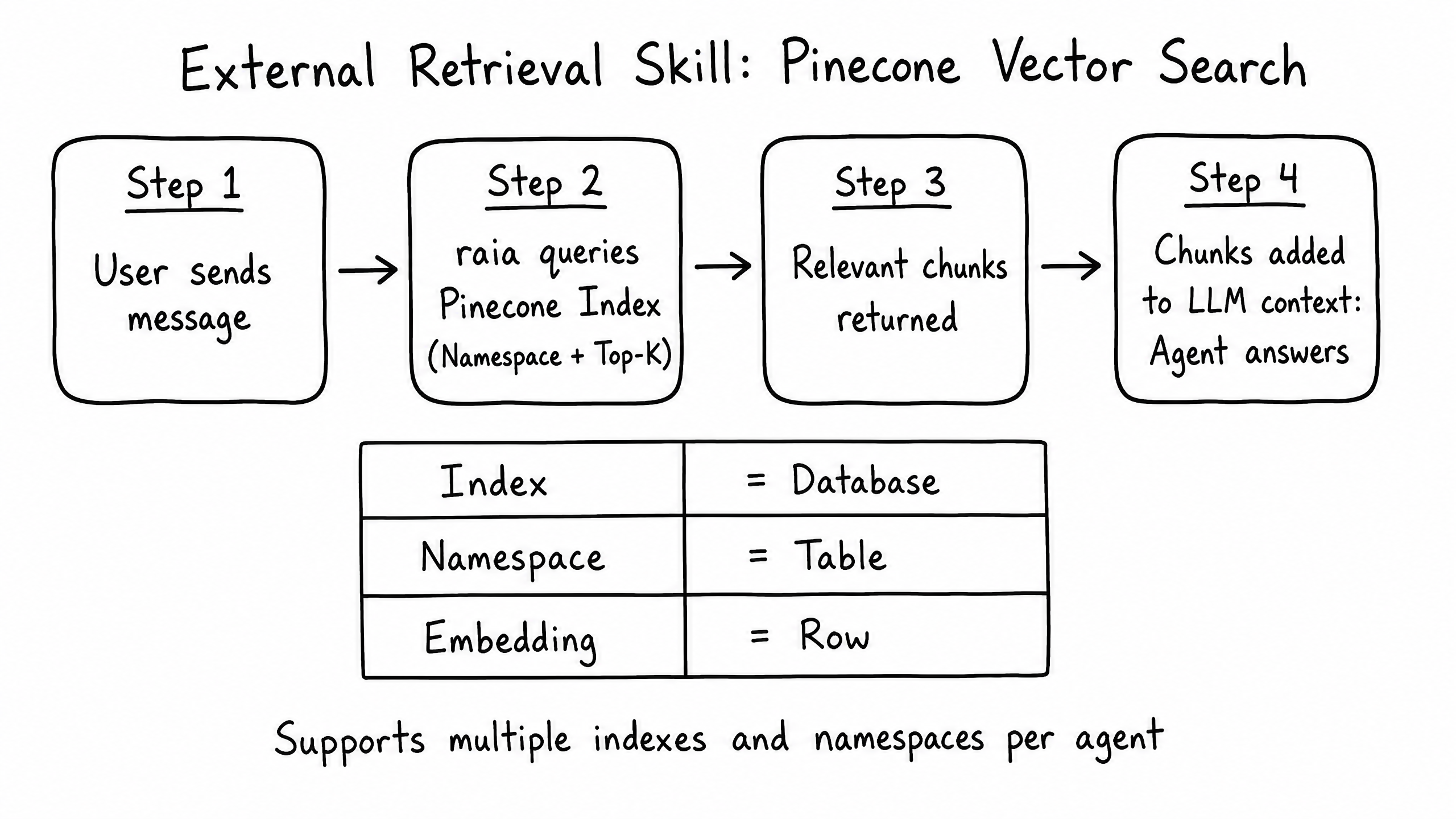
How it works
The External Retrieval skill allows your agent to dynamically search and pull information from external databases, knowledge bases, or search engines in real-time, supplementing its internal Vector Store.
Video overview
Key features
Real-Time Search
Query external systems during a conversation for up-to-date information.
Fallback Mechanism
Use external retrieval as a fallback if the internal Vector Store has no answer.
Multiple Sources
Connect to Zendesk, Confluence, custom APIs, and more.
How to configure it
- 01
Enable the External Retrieval skill in Launch Pad.
- 02
Enter the endpoint URL and authentication details for the external search API.
- 03
Define how the agent's search query should be formatted in the request payload.
- 04
Define how the response should be parsed so the agent can read the results.
Frequently asked questions
When should I use External Retrieval vs. the internal Vector Store?
Use the internal store for static documents (policies, manuals). Use External Retrieval for highly dynamic data (live inventory, ticket status) or massive knowledge bases impractical to sync.
Does this slow down response time?
Yes — calling an external API adds latency, since the agent must wait for results before formulating a response.