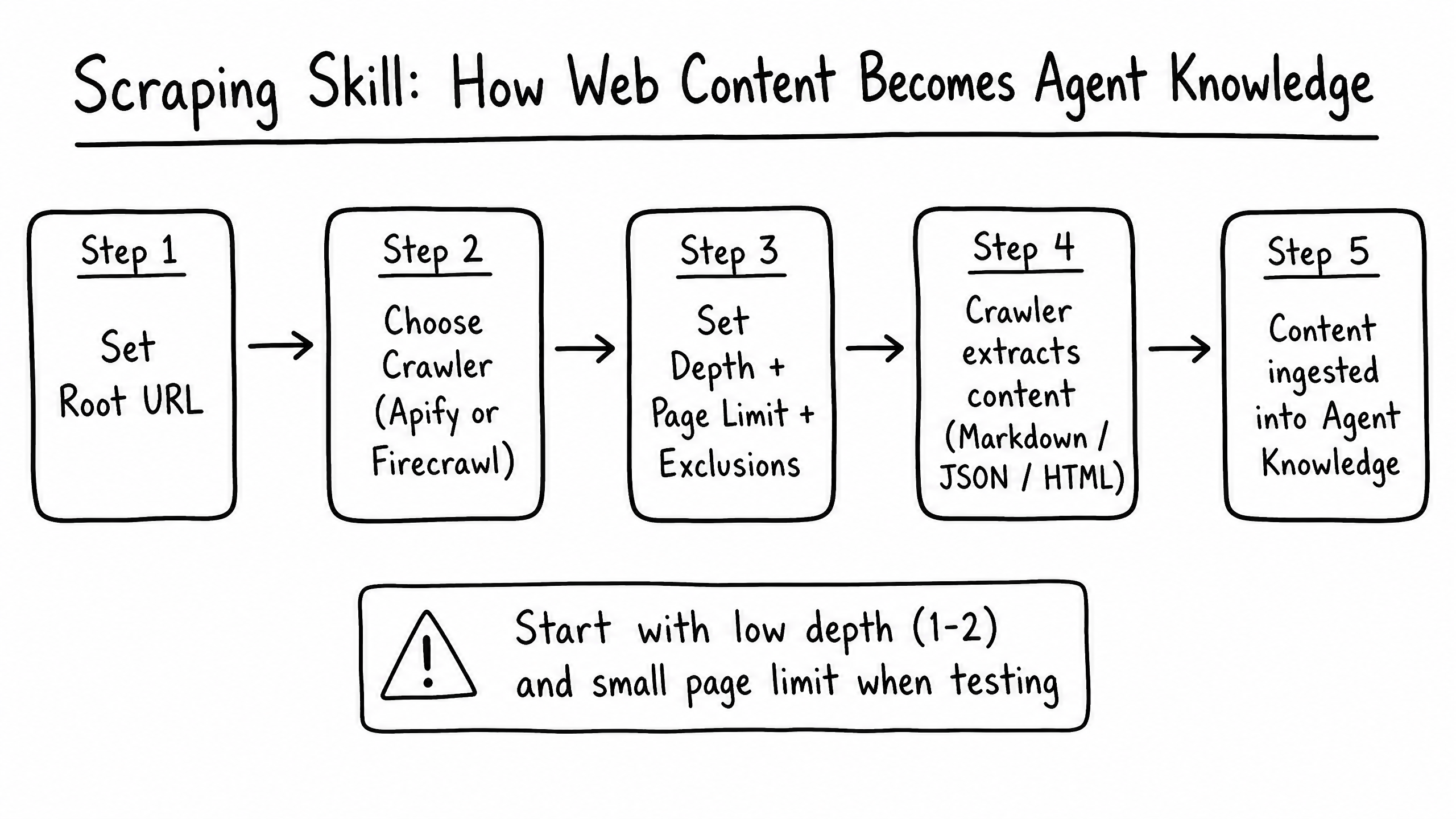
How it works
The Scraping skill allows your agent to extract text content from a specific URL provided by the user during a conversation, enabling it to summarize articles, analyze competitor pages, or troubleshoot customer websites.
Video overview
Key features
On-Demand Extraction
Read the content of any URL the user shares in chat.
Text Parsing
Extracts readable text from the HTML, ignoring nav and ads.
Contextual Analysis
Answer questions based specifically on the scraped content.
How to configure it
- 01
Enable the Scraping skill in Launch Pad.
- 02
Update Instructions to tell the agent how to handle URLs (e.g., 'If a user sends a link, scrape the page and provide a 3-bullet summary').
Frequently asked questions
Can the agent scrape pages behind a login?
No — Scraping only accesses publicly available URLs. It cannot log in or bypass paywalls.
Does it work on all websites?
It works on most standard HTML sites. Heavy client-side JavaScript SPAs or sites with strict anti-bot protections may not scrape successfully.