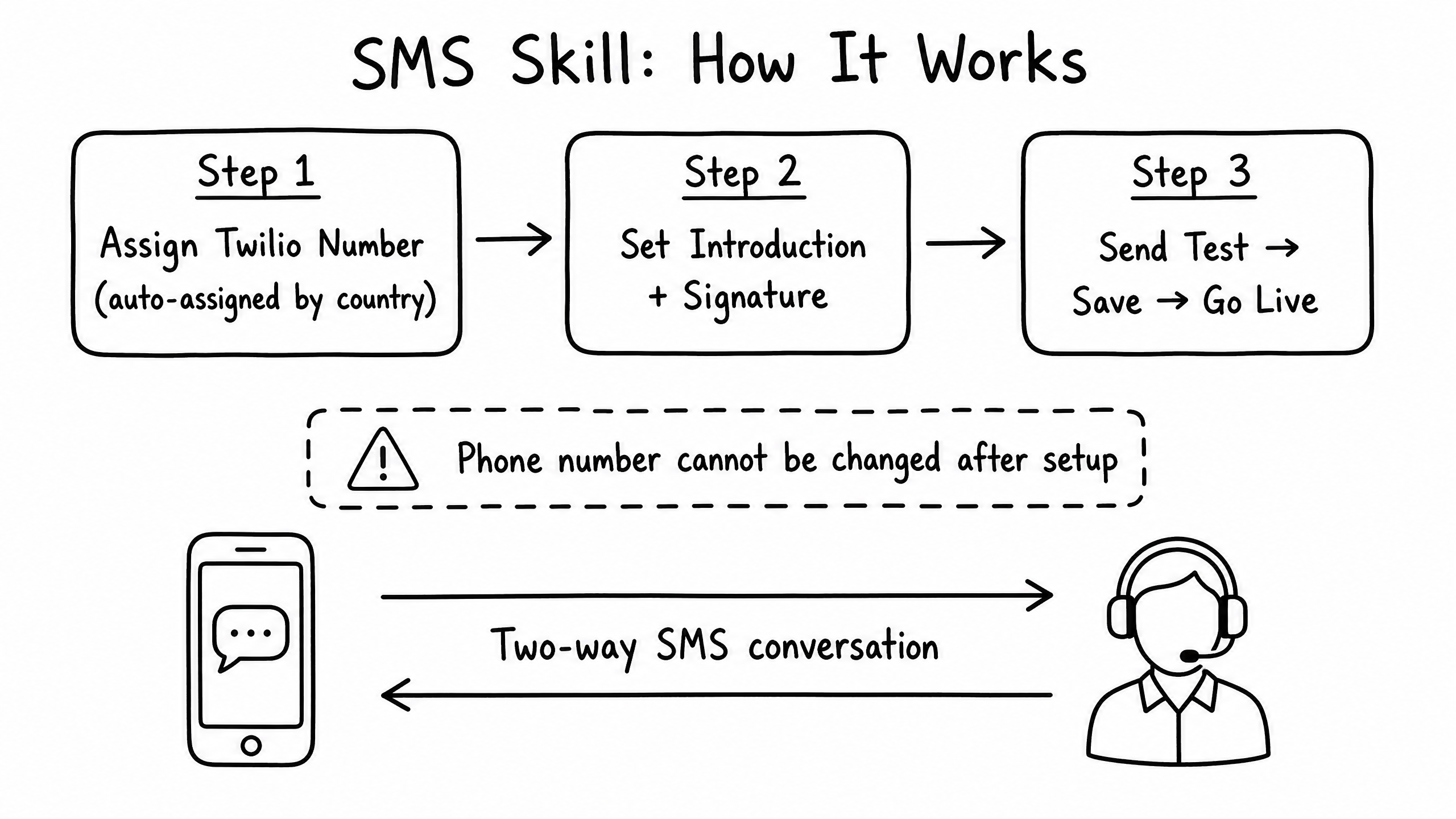
How it works
The SMS skill connects your raia agent to a dedicated phone number, allowing it to converse with users via text message. This is ideal for field service, appointment reminders, and mobile-first customer support.
Video overview
Key features
Dedicated Number
Provision a dedicated local or toll-free number for your agent.
Two-Way Messaging
The agent can both receive inbound texts and send outbound notifications.
Media Support (MMS)
Send and receive images (requires specific number types).
Opt-Out Handling
Automatic compliance with standard STOP/UNSUBSCRIBE keywords.
How to configure it
- 01
Enable the SMS skill in Launch Pad.
- 02
Provision a new local or toll-free number from the interface. Once provisioned, a number cannot be changed without contacting support.
- 03
If using an external SMS provider like Twilio, configure the inbound webhook URL.
- 04
Send a test text from a personal device to verify the agent responds.
Frequently asked questions
Can I bring my existing phone number?
Number porting requires manual assistance — contact support to initiate a port for an existing Twilio or Bandwidth number.
Are there character limits per message?
Standard SMS limits apply (160 characters per segment). The agent is instructed to keep responses concise, but longer messages are automatically split and concatenated by the carrier.
How does the agent know who is texting?
It only sees the incoming phone number. Either ask the user for their name, or use the raia API to inject context based on the phone number before the agent replies.