What raia Command gives you
- Knowledge workspaces for documents, structured Tables, search, exports, and agent-ready content.
- Loops for reusable AI workflows with runs, approvals, triggers, safety limits, and reports.
- Secure connections between raia cX agents and the knowledge or Tables they are allowed to use.
- Connectors, File Drop, usage reporting, and governed data-protection controls.
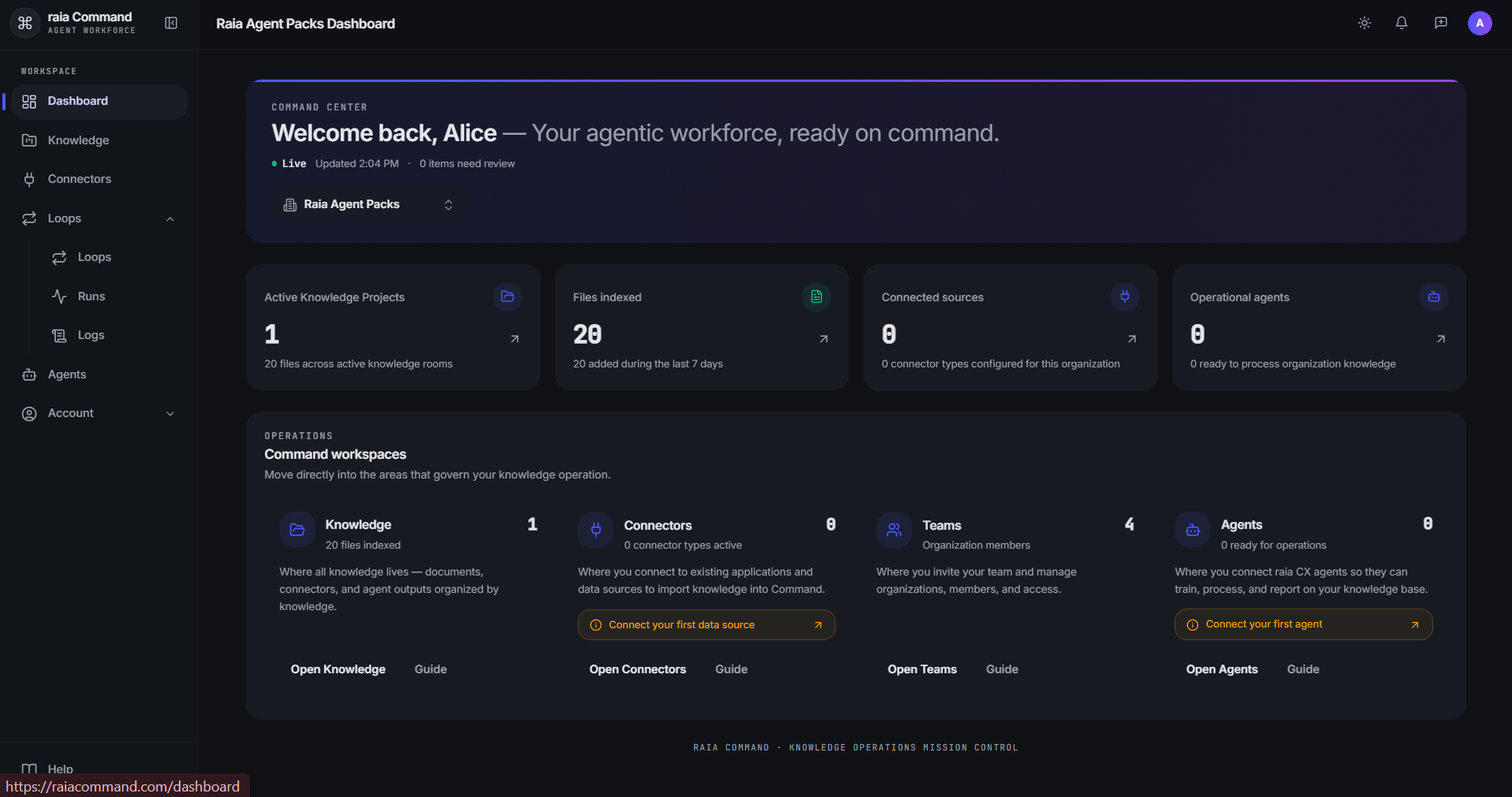
The Command Interface
Command is the knowledge and workflow workspace for your AI workforce. Its main areas are Knowledge for documents, Tables for structured records, Loops for repeatable work, Connectors for external sources, and Agents for linking approved raia cX agents.
The Data Room
Looks and functions like a traditional file explorer, while preparing uploaded documents for search, training, processing, and governed reuse by agents.
- Smart Upload: Drag and drop and let AI classify and title files automatically.
- File support: PDFs, Word, Excel, PowerPoint, images, and raw data (JSON, CSV).
- Status tracking: Every file shows its exact position in the pipeline — Queued → Converting → AI Ready → Training.
Tables and agents
- Structured Tables: Import spreadsheets while preserving rows, column types, filters, and exact references.
- Controlled agent access: Expose only selected documents, Tables, or connector tools through scoped read-only connections.
- Knowledge automation: Choose whether new documents should convert and train automatically as they arrive.
Key Features & Workflows
| Feature | Description | Best for |
|---|---|---|
| Loops | Build reusable AI workflows that run through agent work, Loop AI steps, approvals, triggers, and completion reports. | Automating repeatable multi-step business processes. |
| Data Connectors | Pull content directly from Zendesk, Salesforce, Google Drive, Jira, GitHub, and SharePoint. | Keeping agent knowledge automatically synced with existing systems. |
| Tables | Import CSV, TSV, and Excel data; define the schema; filter and export rows; manage versions; and connect approved agents. | Invoices, inventories, transactions, contacts, and price lists. |
| File Drop & Exports | Receive files into a chosen Knowledge folder and prepare small or large Markdown exports with progress and download history. | External intake, controlled sharing, and organization backups. |
How to Get Started
- 01
Create a Project
Navigate to 'Knowledge' and click 'New Project' on the page to create a dedicated workspace and Data Room.
- 02
Upload Knowledge
Drag and drop your training documents, or connect an external system like Zendesk.
- 03
Import a Table or Build a Loop
Publish structured spreadsheet data for precise queries, or create a repeatable workflow with agent and approval steps.
- 04
Connect Your Agent
Link an approved raia cX agent, then grant only the Knowledge, Tables, and connector access it needs.
Related Training
Path
Functional Expert
Plan your agent, write instructions, build the knowledge base.
Path
Technical Builder
Advanced prompt engineering, webhooks, and custom functions.
Tip
The fastest way to learn Command is to add a small set of real documents or one spreadsheet, connect an agent, and test a focused question or Loop with realistic input.